

Ready to transform your IT experience? Reach out to our experts to discuss how our tailored solutions can meet your business needs and keep your technology running smoothly.
Break Fix vs Managed Services: Which IT Model Fits Your Business?
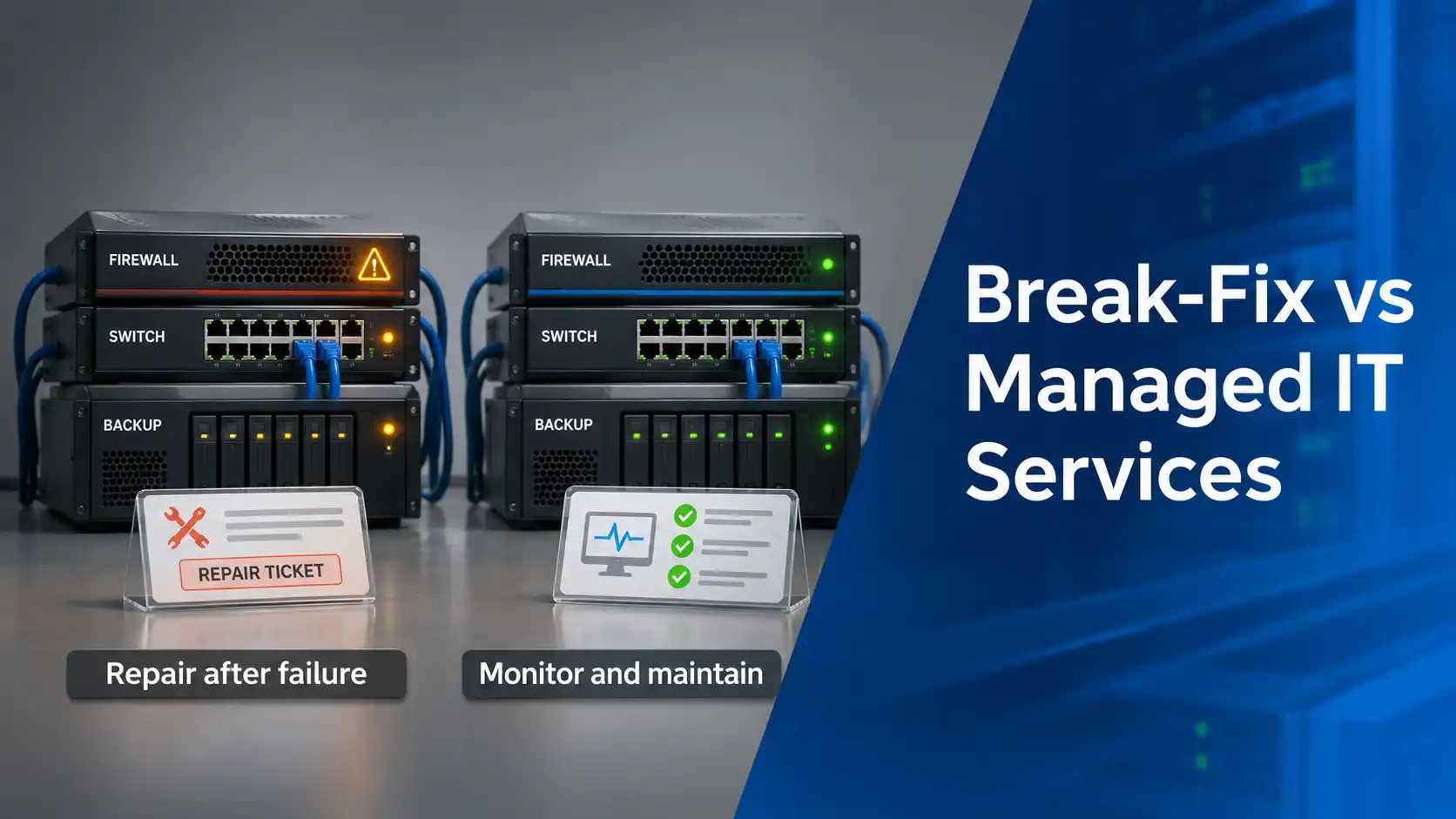
Break fix vs managed services comes down to when you pay and who watches your systems. With break-fix IT, you call a technician after something fails and pay for that repair, usually by the hour. With managed services, you pay a flat monthly fee, often per user, and a provider monitors, patches, secures and supports your systems before problems reach your staff.
We’ve supported Southern California businesses since 2005, and we still see both models every week. Some owners come to our managed IT services for Los Angeles businesses after years of paying per repair. Others ask whether they need a monthly plan at all. This guide gives you the plain answer, the real costs, and a simple way to tell which model fits your office.
What Is Break-Fix IT? Meaning, Billing and Examples
Break-fix is a pay-per-repair model for IT support. The term means exactly what it sounds like: something breaks, a technician fixes it, and you get a bill for that job. Once the ticket closes, the technician has no ongoing duty to watch, patch or maintain your systems until you call again.
You’ll also see it called fee-for-service, pay-per-incident, time and materials (T&M), on-demand IT or reactive support. The spelling varies too. Break-fix, break/fix and break fix all mean the same thing.
How Break-Fix Billing Works
Most break-fix providers bill by the hour, with a few common add-ons:
- Hourly labor. Our own on-demand rate runs $125 to $225 an hour, which sits in the normal range for Southern California.
- Trip or onsite fees. Some providers charge just to show up.
- After-hours and emergency rates. Nights, weekends and urgent calls often cost more.
- Parts and hardware. Replacement drives, switches or laptops are billed on top.
- Minimums. Many shops bill a one-hour minimum, even for a 10-minute fix.
Common Break-Fix Calls
These are the calls we see most from businesses without a monthly plan:
- A network switch dies and half the office goes offline.
- A point-of-sale terminal freezes during a busy weekend.
- A laptop won’t boot the morning of a client presentation.
- A shared printer stops talking to the network.
- A staff member clicks a bad link and the machine needs a virus cleanup.
Why Some Owners Still Prefer Break-Fix
Break-fix has real advantages, and we won’t pretend otherwise. There’s no monthly bill and no long-term commitment. You decide when to call and what to fix. For a five-person office with a few laptops and cloud email, that control can make good financial sense.
The trouble starts when the business depends on technology more than the billing model assumes. That gap is easier to see once you know what the other model covers.
What Are Managed IT Services?
Managed IT services is a support model where a managed service provider (MSP) takes ongoing responsibility for an agreed scope of your IT for a predictable monthly fee. Instead of waiting for a call, the provider watches your systems around the clock and fixes small issues before they turn into outages.
A typical managed IT plan includes:
- 24/7 monitoring. Remote monitoring and management (RMM) tools track servers, laptops, firewalls and backups. Our guide to remote monitoring and management covers how this works.
- Patch management. Windows, macOS and app updates get tested and installed on a schedule.
- Endpoint security. Antivirus, endpoint detection and response (EDR) and multi-factor authentication (MFA).
- Backup and disaster recovery. Daily backup checks, restore testing and recovery targets.
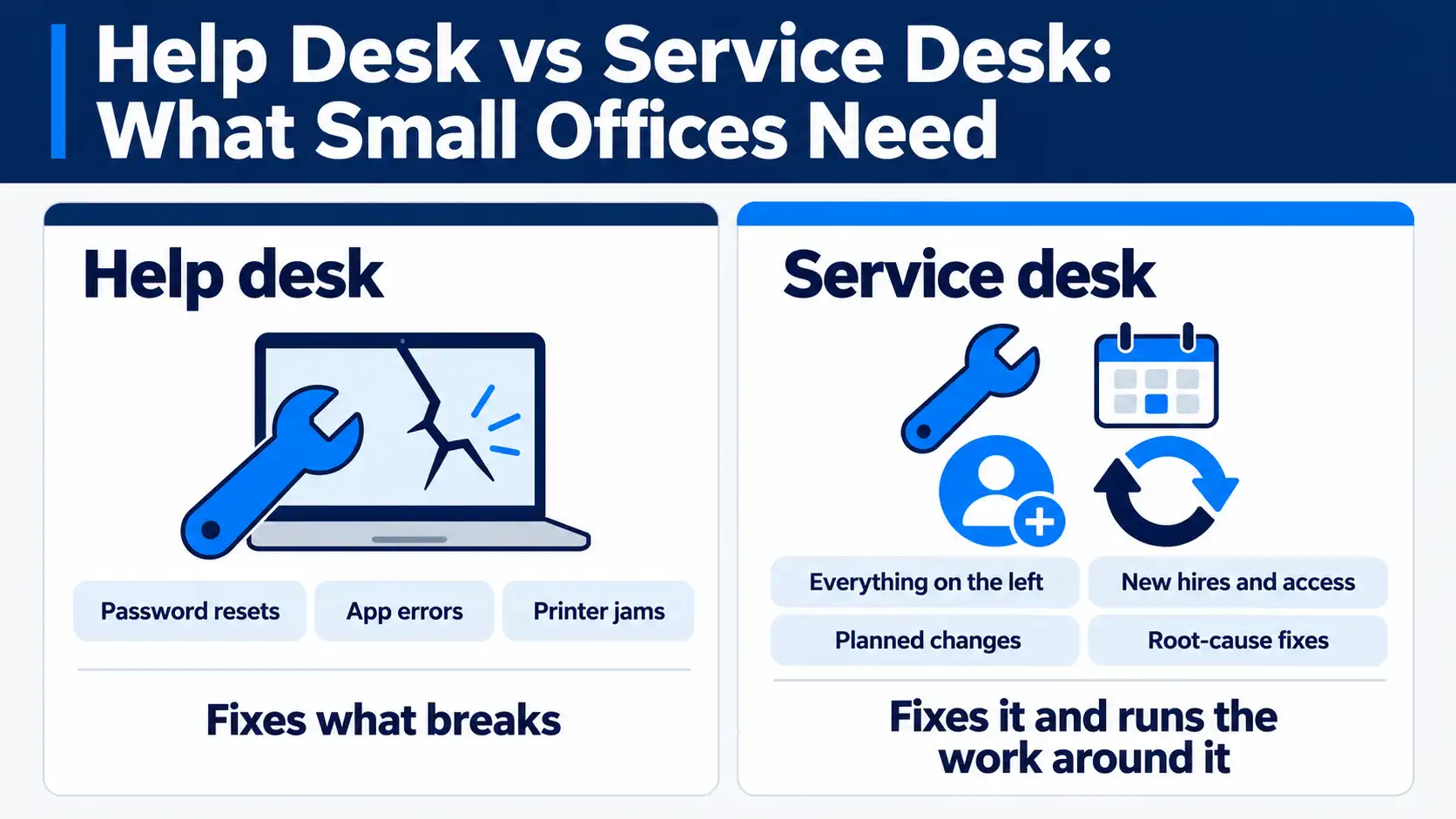
- Help desk support. Your staff call or email one team for everyday problems.
- Vendor management. The MSP deals with your internet provider, copier company and software vendors.
- IT planning. Hardware refresh schedules, budgets and a technology roadmap, sometimes called vCIO work.
What Managed Services Usually Don’t Include
Here’s a part most comparison guides skip. A managed plan covers ongoing support, not everything IT-related. Most providers bill separately for:
- Projects. An office move, a server migration or a new network buildout.
- Hardware and software. Laptops, firewalls and Microsoft 365 licenses are usually separate purchases.
- Work outside the agreed scope. A device or system not listed in the plan.
None of this is a trick if it’s spelled out up front. Ask any provider for a written scope before you sign. That one document prevents most of the billing surprises owners tell us about.
Break Fix vs Managed Services: 7 Key Differences
The two models differ in seven practical ways. Each one affects your budget, your downtime or your risk.
1. Approach: Reactive vs Proactive
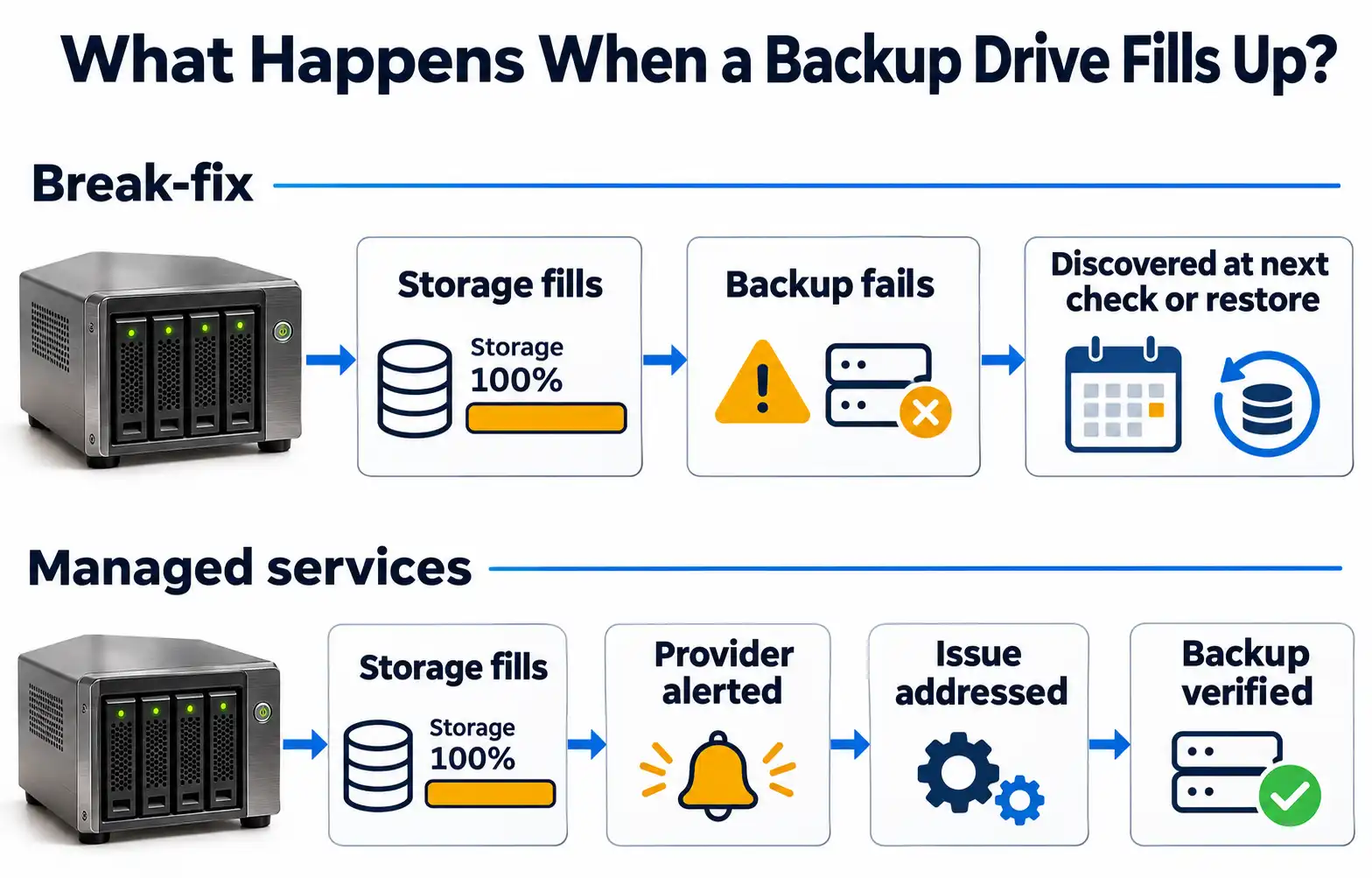
Break-fix reacts. Nothing happens until someone notices a problem and makes a call. Managed services works ahead of failure. Monitoring flags a failing hard drive, a full backup disk or a missed security patch while it’s still a warning, not an outage.
2. Cost Structure: Variable Bills vs a Flat Monthly Fee
Break-fix costs swing with your luck. A quiet month costs nothing. A bad month can cost thousands. Managed services costs the same each month, which turns IT from a surprise expense into a line item you can plan around.
3. Response Time and Availability
Break-fix providers usually work on a first-come, first-served basis. If they’re busy with another client’s emergency, you wait. Managed providers commit to response times in a service level agreement (SLA). Our help desk averages a 3 to 15 minute response, with same-day onsite support and 24/7 coverage.
4. Security and Patching
Break-fix has no one assigned to keep your systems updated. Patches get missed, old accounts stay active, and backups go unchecked. Managed services makes security routine work, done on a schedule, with records to show it happened.
5. Scope of Support and Vendor Management
A break-fix technician fixes the ticket in front of them. A managed provider owns the whole environment, including the vendor calls. When your internet drops, your MSP opens the ticket with the carrier so your office manager doesn’t spend an afternoon on hold.
6. Incentives: Who Profits When Things Break
This one matters more than most owners realize. A break-fix provider earns more when your systems fail. A managed provider earns more when your systems stay stable, because every outage costs them time under a fixed fee. That alignment shapes how each one does the job.
7. Documentation and Ownership of Your Systems
The most common gap we find in new client assessments is missing documentation. After years of break-fix, nobody has a current list of devices, passwords or network settings. Sometimes the only admin login belongs to a technician who left years ago. Under our managed plans, credentials, accounts and documentation stay in the client’s name. If a client ever leaves, they get a full handover.
These seven differences add up. A side-by-side view makes them easier to compare.
Break/Fix IT vs Managed Services Comparison Table
| Factor | Break-Fix IT | Managed IT Services |
|---|---|---|
| Pricing | Hourly or per incident | Flat monthly fee, usually per user |
| Monitoring | None | 24/7 remote monitoring |
| Response time | Depends on technician availability | Set in an SLA |
| Security and patching | Only when requested | Scheduled and documented |
| Backups and recovery | Rarely checked | Monitored and tested |
| IT planning | None | Budgets, refresh cycles, roadmap |
| Documentation | Often missing or held by the technician | Maintained and owned by the client |
| Downtime risk | Higher | Lower |
| Budget type | Unpredictable spikes | Predictable operating expense |
The table shows what each model does. The bigger question for most owners is what each one costs.
Managed IT Services vs Break-Fix: What Each Costs in 2026
Managed IT services usually runs $100 to $250 per user per month. Break-fix support usually runs $125 to $225 per hour. Those are our own published ranges, and they’re typical for Southern California. Where you land depends on your user count, your compliance needs and how much onsite work your office requires. Our managed service provider pricing guide covers pricing models in more depth.
The Break-Even Math
You can compare the two models with one simple formula:
Monthly managed plan cost ÷ hourly break-fix rate = break-even hours per month
Here’s an example for a 20-person office:
- Managed plan: 20 users × $150 per user = $3,000 a month.
- Break-fix rate: $175 an hour.
- Break-even: $3,000 ÷ $175 = about 17 hours of break-fix labor a month.
If your break-fix invoices total less than about 17 hours a month, break-fix looks cheaper on paper. If they total more, the managed plan wins on labor alone. Across the full price ranges, the break-even point for a 20-person office falls between about 9 and 40 hours a month.
Use your own numbers. Pull last year’s IT invoices, divide by 12, and compare.
Costs That Never Show Up on a Break-Fix Invoice
The labor bill is only part of the cost. The bigger number is usually the time your team loses while systems are down.
Say your server goes offline for 4 hours, and 20 employees can’t work. If each person costs you $40 an hour in wages and benefits, that outage costs $3,200 in idle payroll. That’s before lost sales, missed deadlines or the overtime to catch up. Break-fix bills you for the repair. Nobody bills you for the downtime, but you still pay it.
Block Hours and Prepaid Retainers: The Middle Option
Some providers sell a block of prepaid hours at a discounted rate. You buy 10 or 20 hours up front and draw them down as you need help. It’s a fair option for an office that wants a lower hourly rate without a full plan. Keep in mind that block hours are still reactive. You pay less per hour, but nobody is watching your systems between calls.
So where does break-fix still come out ahead? In more places than most MSPs will admit.
When Break-Fix Still Makes Sense
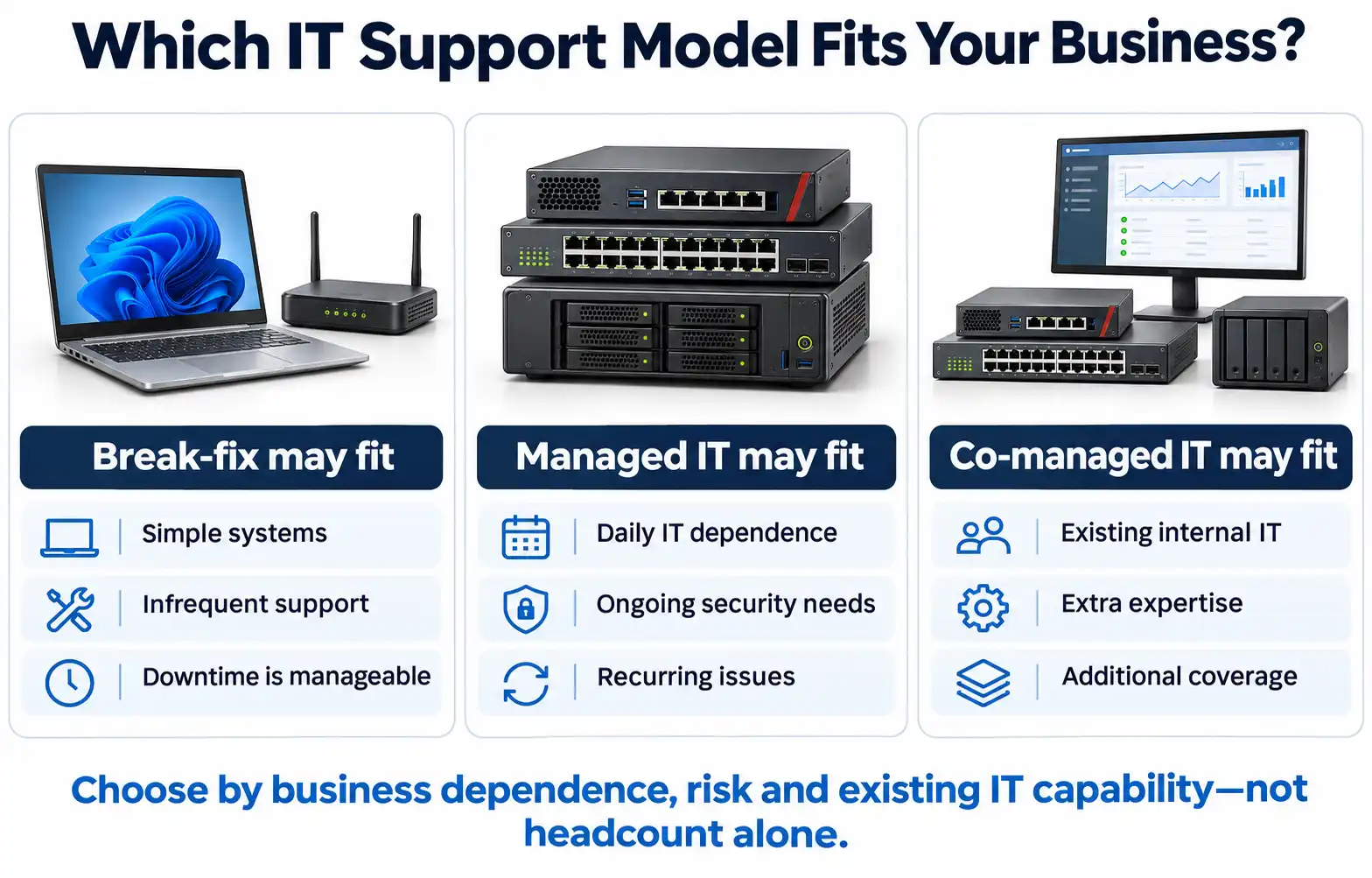
Break-fix is a reasonable choice in a few clear situations:
- Small offices. Fewer than 10 people, mostly laptops, with cloud email and file storage.
- Low tech dependence. Staff could keep working for a day if the network went down.
- One-time projects. A single office setup, a cabling job or a hardware install.
- In-house IT already exists. You have staff who handle daily support and only need outside help for specialized jobs.
- No compliance rules. You don’t store health records, financial data or defense contract information.
If most of that list describes you, break-fix may serve you well for now. Just review the decision once a year, because businesses usually outgrow it slowly and then all at once.
Signs Your Business Has Outgrown Break-Fix
The pattern is easy to spot once you know it. Watch for these signs:
- Count your repeat problems. The same printer, laptop or network issue keeps coming back.
- Total your IT invoices. Your monthly break-fix spend is close to or above the break-even math.
- Watch your staff. Employees spend their own time troubleshooting instead of doing their jobs.
- Review your last security scare. A phishing email, a hacked account or a ransomware attempt slipped through.
- Check your insurance renewal. Your cyber insurance questionnaire asks about MFA, EDR, patching and backups, and you can’t answer with confidence. Our cyber liability insurance guide covers what insurers ask for.
- Look at your growth. You’re adding staff, opening a second office or taking on clients with security requirements.
Two or more of these usually means break-fix is costing you more than the invoices show. The right replacement depends on your size and industry.
Break-Fix IT vs Managed IT Services: Which Fits Your Business?
Business size and industry tell you most of what you need to know. Here’s how we’d frame the decision.
Under 10 Employees
Break-fix often works here, especially if you run on cloud apps. Many small offices pair break-fix with a few basics they set up once: MFA on every account, automatic updates and a cloud backup.
10 to 50 Employees
This is where the math usually flips. At this size, one outage idles enough people to cost more than a month of managed service. A flat plan also gives you documentation and security records you’ll need as you grow.
50 to 250 Employees
At this size, break-fix rarely holds up. You have more devices, more accounts and more risk than an on-call technician can track. Most companies here need managed services, co-managed IT or an internal IT lead backed by outside help.
Regulated Industries: Healthcare, Legal, Finance and Defense
If you handle patient records, client financial data or defense contract information, compliance usually decides the question for you. HIPAA, financial regulations and CMMC all expect ongoing security controls and evidence that they’re in place. Break-fix can’t produce that record. Our CMMC Level 1 requirements guide shows what defense suppliers must prove.
Hybrid and Co-Managed Options
You don’t have to pick one extreme. Some businesses put critical systems such as servers, firewalls and backups under a managed plan and handle everything else on demand. Others already have an IT person and add a provider for monitoring, security and after-hours coverage. That arrangement is called co-managed IT, and our co-managed IT services guide explains how it works.
Size and industry are national questions. Southern California adds a few of its own.
What Southern California Businesses Should Weigh
Running a business in Los Angeles, Orange County or Pasadena brings risks that a pay-per-repair model handles poorly.
Power Shutoffs, Wildfires and Earthquakes
During fire season, utilities can cut power through Public Safety Power Shutoffs (PSPS), sometimes with little warning. Wildfire evacuations and smoke can close offices for days. An earthquake can take out your building and your local backup drive at the same time.
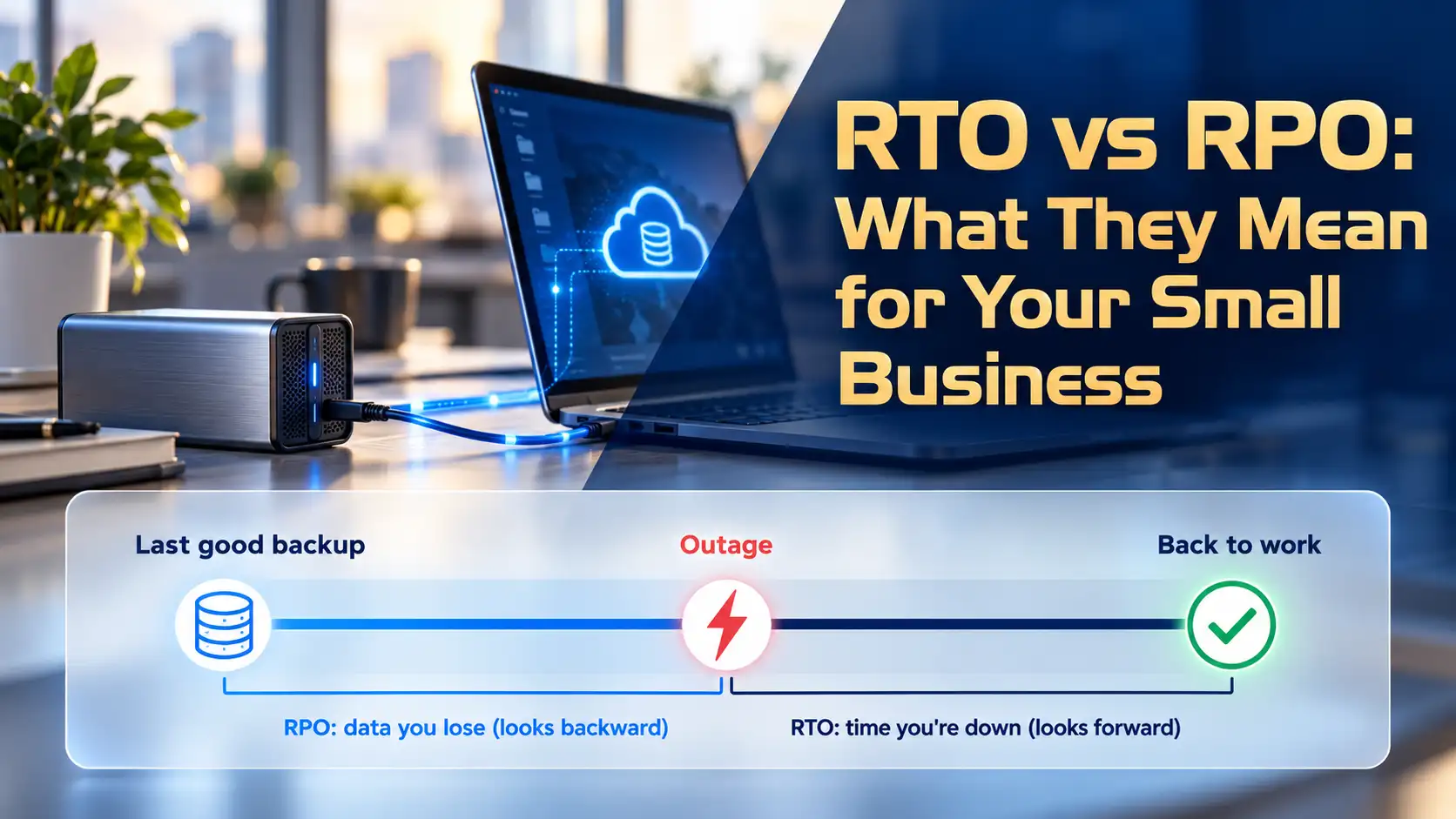
With break-fix, nobody knows your server went down on Saturday until staff arrive Monday. With monitoring, power and backup alerts reach someone right away. We also set recovery time and recovery point objectives (RTO and RPO) with every client during onboarding, so everyone knows how fast systems come back and how much data is protected.
California Privacy and Cybersecurity Audit Rules
California’s privacy rules raise the stakes for record-keeping. The California Privacy Protection Agency’s new regulations took effect January 1, 2026, and they include cybersecurity audit requirements for covered businesses. First audit certifications are due in phases from April 1, 2028 to April 1, 2030, based on company revenue.
Not every small business falls under these rules. But the direction is clear. Regulators, insurers and larger clients all want proof of security work, and break-fix leaves no paper trail to show them.
Once you decide to switch, the process is more straightforward than most owners expect.
How to Switch From Break-Fix to Managed Services
Most switches follow the same six steps:
- Total your current costs. Add up last year’s IT invoices and estimate the hours your team lost to outages.
- Inventory what you have. List devices, software, accounts and who holds admin passwords.
- Define the scope in writing. Agree on what’s covered, what isn’t and what response times you’ll get.
- Start with an assessment. A good provider reviews your environment before changing anything.
- Pilot critical systems first. If you want to go slowly, put servers, backups and security under management before everything else.
- Review every quarter. Check response times, open issues and upcoming budget needs.
The provider you choose matters as much as the model, so ask the right questions before you sign.
Questions to Ask Any IT Provider Before You Sign
Use these questions with break-fix shops and MSPs alike:
- Ask about response times. What’s your average response, and is it in writing?
- Ask who holds the passwords. Will admin credentials and documentation stay in my company’s name?
- Ask what’s out of scope. Which work costs extra, and how is it billed?
- Ask about onsite support. How fast can someone get to my office?
- Ask about security. Which security tools are included, and what reports will I see?
- Ask what happens if I leave. How do you hand over my systems and documentation?
A good provider answers all six without hesitation. Vague answers on credentials or exit terms are the biggest warning sign we see.
Frequently Asked Questions
What does break-fix mean in IT?
Break-fix means you pay for IT support only when something breaks. You call a technician, they fix the problem, and you pay for that job, usually by the hour. There’s no monthly fee and no ongoing monitoring between calls.
Is break-fix cheaper than managed services?
It can be for the smallest offices with few IT problems. For most businesses with 10 or more employees, managed services costs less once you count downtime and repeat issues. Divide your monthly plan quote by your hourly break-fix rate to find your break-even hours.
What is break-fix revenue?
Break-fix revenue is the income an IT provider earns from one-time repairs billed per hour or per incident. It’s the opposite of recurring revenue from monthly managed service plans. For a business owner, it means your provider earns more when your systems fail.
Can I mix break-fix and managed services?
Yes. Many businesses put critical systems under a managed plan and pay for other work as needed. Co-managed IT is another option, where an outside provider supports your in-house IT staff.
How long does it take to switch from break-fix to managed services?
Most switches take a few weeks to a couple of months. The timeline depends on how many devices you have, how much documentation exists and whether your systems need cleanup first.
Do managed IT services include onsite support?
Many plans do, though it varies by provider. Our managed IT clients get remote help desk support with a 3 to 15 minute average response, plus same-day onsite support when a problem needs hands on the hardware.
The Bottom Line
Break-fix makes sense when your business can absorb downtime and your IT needs stay small. Managed services makes sense once outages, security and planning start costing more than a monthly fee. Pull last year’s IT invoices, run the break-even math, and the right answer for your business usually becomes clear.
If you’d like a second set of eyes on those numbers, our team will review your current IT setup and costs with you.