








co-managed IT services los angeles

Co-Managed IT Services Los Angeles: Backup for Your In-House IT Team

Co-managed IT services pair your in-house IT staff with an outside team that covers what one or two people can't. AllSafe IT provides co-managed IT services in Los Angeles from our Hollywood office. We take after-hours monitoring, help desk overflow, security operations and project work.

Your IT lead keeps control of priorities, vendors and the roadmap. Who owns what goes in writing before we start.

  • 20+ years supporting Los Angeles County businesses
  • 15-minute first-response standard, around the clock
  • SOC 2 audited by outside auditors every year
  • 7-time CRN MSP 500 winner, most recently in 2026
Talk to an expert

Some of our
multi-national partners

Co-Managed IT Services in Los Angeles: What Your Team Gets

Most internal IT teams in Los Angeles are one or two people. They know the business better than any outside firm will. What they lack is hours, and a bench behind them. Co-managed IT adds that bench without asking anyone to step aside.

Here is the work we often take on. You choose the pieces.

Help desk overflow and after-hours support

When tickets stack up, our 24/7 help desk takes the overflow. Password resets, laptop setups and Microsoft 365 questions get answered while your lead stays on the project they were hired for. Nights and weekends are covered by default. Your team decides which ticket types stay with them.

24/7 monitoring and patch management

Servers, firewalls and laptops report to our monitoring platform around the clock. We test patches first, then roll them out in maintenance windows you approve. Your team sees the same dashboards we do. No surprises at 9 a.m.

Security operations

Security is the most common gap we find in co-managed engagements. One IT generalist can't watch alerts at 2 a.m. and close tickets at 9 a.m. Our SafeTotal program adds managed detection and response (MDR), endpoint protection, email security and Microsoft 365 sign-in monitoring. For regulated work, our Los Angeles cybersecurity team adds penetration testing and compliance controls.

Backup and disaster recovery

We run backups through Datto and Veeam, and we test restores, not just backup jobs. Los Angeles adds its own planning list. Wildfire smoke can close an office. A Public Safety Power Shutoff can cut power for a day. An earthquake can keep staff home for a week. Your recovery plan should account for all of them.

Project capacity

Cloud migrations, Microsoft 365 cleanups, office moves and server refreshes stall when daily support eats the calendar. We staff the project from kickoff to handoff. Your IT lead stays the decision maker.

Strategy and virtual CIO support

Some teams need a second senior opinion more than extra hands. Our virtual CIO and IT consulting sessions cover budgets, refresh cycles and vendor choices. Your IT lead is in the room for every one.


Signs Your In-House IT Team Has Outgrown Its Coverage

Picture a 60-person firm with one IT manager. She takes a week off in August, and everything runs fine until the VPN certificate expires on Wednesday. Nobody else knows where the renewal lives. That single point of failure is where most co-managed conversations start.

Other signs we see in Los Angeles companies:

  • Tickets sit until morning because nobody covers nights or weekends.
  • Security alerts get reviewed in batches, days after they fire.
  • Patching happens when there is time, which means irregularly.
  • A cloud or Microsoft 365 project has slipped more than one quarter.
  • Your IT lead hasn't taken a full week off in a year.
  • One person holds every admin password.
  • Your cyber insurance renewal asked about controls you can't document.

Two or more of these mean the work has outgrown the headcount, not the people. The fix starts with deciding who owns what.

Who Owns What: A Sample Co-Managed Responsibility Split

Co-managed IT breaks down when ownership is vague. Two teams assume the other one patched the firewall, and nobody did. We prevent that with a written responsibility split. You sign off on it during onboarding, and we review it every quarter.

Here is a typical starting point for a Los Angeles company with one to three IT staff:

Your IT team

IT strategy and budget: Owns
Vendor and software decisions: Owns
On-site help for staff: Owns
Help desk, business hours: Shared
Help desk, nights and weekends: Escalations only
24/7 monitoring and alerts: Views dashboards
Patch management: Approves windows
Endpoint and email security: Sets policy
Backup and restore testing: Reviews reports
New hires and departures: Owns
Projects and migrations: Sets scope
Compliance evidence: Owns the program

AllSafe IT

IT strategy and budget: Advises
Vendor and software decisions: Advises
On-site help for staff: Backup, dispatched from Hollywood
Help desk, business hours: Shared
Help desk, nights and weekends: Owns
24/7 monitoring and alerts: Owns
Patch management: Owns
Endpoint and email security: Runs tools and responds
Backup and restore testing: Owns
New hires and departures: Executes on request
Projects and migrations: Staffs and delivers
Compliance evidence: Collects technical evidence
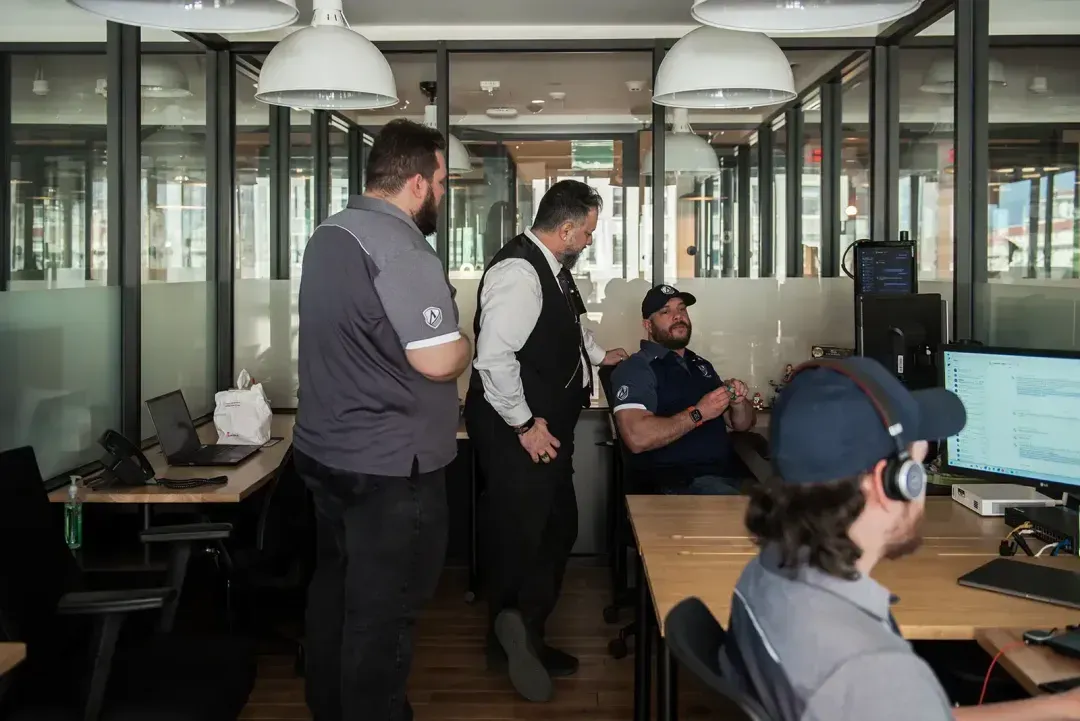
AllSafe IT engineer supporting an in-house IT team in Los Angeles

How Co-Managed IT Works Day to Day

What does a normal week look like? Mostly quiet. Your team works its queue, we work ours, and handoffs follow rules both sides approved.

Shared tools, separate accounts

Your IT staff get access to our monitoring dashboards and your company's full ticket history. Our engineers use named admin accounts, never shared logins. Every account requires multi-factor authentication (MFA). Each person holds only the access their tasks need, and your lead can review admin activity at any time.

Ticket routing

Staff submit requests through the AllSafe App with their Microsoft 365 sign-in, or by email. Tickets route by category, based on the split you approved. Anything tagged to your team lands in your queue. Nothing closes without a note your lead can read.

The 2 a.m. escalation path

Here is how an after-hours alert moves through a co-managed setup:

  1. Detect the event. Monitoring flags a server going offline or a suspicious sign-in.
  2. Triage it. An AllSafe engineer confirms the alert is real and rates its severity.
  3. Contain the risk. For security events, we isolate the device or lock the account first.
  4. Notify your IT lead. Critical events get a phone call. Everything else gets a written summary by morning.
  5. Document the fix. The root cause and resolution go into the ticket for your team to review.

Your documentation stays yours

Passwords, network diagrams and runbooks live in your systems, under your name. If you end the agreement, you keep all of it. We would rather earn the renewal than make leaving hard.

Co-Managed IT vs Fully Managed IT vs Break-Fix

Once the mechanics are clear, the next question is whether co-managed is the right model at all. The difference comes down to who owns the work.

Co-managed IT

Internal IT staff: Yes, 1 to 3 people
Who owns daily IT: Shared, by written split
After-hours coverage: Included
Security monitoring: Included
Pricing model: Per user, per month, scoped
Best fit: Capable IT staff who are stretched

Fully managed IT

Internal IT staff: Not needed
Who owns daily IT: AllSafe IT
After-hours coverage: Included
Security monitoring: Included
Pricing model: Per user, per month
Best fit: Companies with no IT staff

Break-fix

Internal IT staff: Optional
Who owns daily IT: You, until something breaks
After-hours coverage: Billed per call
Security monitoring: Not included
Pricing model: Hourly
Best fit: Small offices with simple setups

When Co-Managed IT Is the Wrong Fit

Co-managed has limits too. We would rather name them upfront. We recommend against co-managed IT in four situations. If none of them apply, cost decides it.

1

Skip it if you have no internal IT person.

There is nobody to share the work with. Co-managed IT only works when someone in-house owns part of it.

2

Start smaller if you have under 10 users.

With a handful of cloud apps and a small team, hourly support may be enough.

3

Hold off if your IT lead sees an outside team as a threat.

The model runs on trust in both directions. That is why we meet your IT lead before we write a proposal.

4

Choose fully managed if leadership wants one accountable provider.

Microsoft environments, Apple devices, and Google Workspace each require specific expertise tWhen leadership wants a single provider accountable for everything, fully managed IT is the cleaner model.o manage properly. AllSafe IT holds certifications across all three. Your environment should be managed by people who are qualified to manage it, not by generalists approximating the right answers.

Co-Managed IT Los Angeles Costs vs. Hiring Another Engineer

A second IT hire is the usual alternative. In the Los Angeles metro, network and computer systems administrators average about $110,000 a year in base pay, according to the U.S. Bureau of Labor Statistics. Benefits, payroll taxes, tools and training sit on top of that number.

Coverage is the bigger gap. One full-time hire covers about 40 of the week's 168 hours. They bring one person's skills, and they take vacations.

Co-managed plans are priced per user, per month, based on what you hand us. Because your team keeps part of the work, a co-managed plan often costs less than our fully managed plans, which run $100 to $250 per user each month.

Four factors move the number:

  1. Scope: security and monitoring only, or help desk overflow too
  2. Compliance work: HIPAA, PCI DSS or CMMC evidence collection
  3. Locations: how many offices need on-site support
  4. After-hours needs: which events trigger a phone call

Compliance often moves the price most, and several California deadlines are close.

California Compliance Dates Your IT Team Is Working Toward

Two rule changes now shape IT work for many Los Angeles companies. Both come with fixed dates.

CMMC for defense suppliers. The Department of Defense began phasing the Cybersecurity Maturity Model Certification (CMMC) into contracts on November 10, 2025. Phase 2 starts November 10, 2026. From then, many contracts handling controlled unclassified information require a Level 2 assessment by an authorized third party before award. Phase 3 follows on November 10, 2027, and full rollout arrives November 10, 2028. Machine shops and aerospace suppliers across LA County feel this first.

CPPA cybersecurity audits. California's privacy agency adopted cybersecurity audit regulations that took effect January 1, 2026. Covered businesses whose data processing meets the agency's risk thresholds must certify a completed audit by:

  • Over $100 million in annual revenue: April 1, 2028
  • $50 million to $100 million: April 1, 2029
  • Under $50 million: April 1, 2030

HIPAA and PCI DSS still apply to medical groups and to anyone taking card payments.

In a co-managed setup, your IT lead keeps ownership of the compliance program. We collect the technical evidence auditors and insurers ask for: patch records, access reviews, backup test results and MFA coverage reports. One more point gets overlooked. The outside firm holding admin access to your systems is a vendor risk too. AllSafe IT is SOC 2 audited, so we can hand your auditor our own report.

Co-Managed IT for Los Angeles Industries

Each industry divides the work a little differently. Here is how the split usually looks across the sectors we support in Los Angeles.

Healthcare

Medical groups and specialty clinics need fast EHR access under HIPAA. We add monitoring and access reviews. Your IT lead keeps clinic workflows.

Entertainment and Media

Mac-heavy teams, large media files and freelancers who come and go by production. Our Apple certified engineers manage the devices. Your team runs the studio side, and freelancer offboarding gets its own checklist.

Manufacturing and Aerospace

Your team knows the shop-floor systems and the ERP. We cover security monitoring and CMMC evidence.

Law and Professional Services

Client confidentiality runs through Microsoft 365 and document systems. Many firms also run mixed Microsoft and Google tenants, which our Google Workspace certified engineers manage daily.

Non-Profits

Lean budgets and donor data. Co-managed covers nights and security without a second salary.

What Los Angeles Businesses Say About AllSafe IT

See what our clients are saying about our IT services

5 star rating

4.8 (56 reviews)

5-star rating
"AllSafe is a great IT company, they are always fast at responding to questions/tech issues, and have always been very friendly!"
Alexa Kehlbeck

Alexa Kehlbeck

5-star rating
We enjoy piece of mind knowing we increased cybersecurity protocols, trained employees on new security procedures (i.e 2 step authentication, phish\junk email protocols, etc). There are many scary hacking incidents of other companies but I sleep pretty well knowing we've done a great job emphasizing to our employees the importance of good internet habits with the help of AllSafe measures implemented.
Craig Tools Inc

Craig Tools Inc

5-star rating
"We have been a client for 16 years"
Thanhthu Nguyen

Thanhthu Nguyen

5-star rating
"I brought in AllSafe IT for an audit. They did an excellent job identifying re-mediating weaknesses in a network with over 150 stations. They effectively rewired our building creating two networks enabling some stations to operate on both. After 3 years, end-users are very satisfied with the results and we know we can count on AllSafe. Thank you."
George McKinney

George McKinney

5-star rating
"They resolved the issue quickly and the professional on the phone was so friendly and helpful. Good Job. I do appreciate you!!"
Daisy Benitez

Daisy Benitez

5-star rating
"definitely rare to find such talented technical support for our business, we have hired others prior to barebones networking and it was just waste of time and money. We highly recommend these folks as they have the technical skills we needed to scale our business... thank you."
Steven Smithson

Steven Smithson

5-star rating
"Very knowledgeable and reliable technical assistance. They are very responsive which is very rare to find services like they provide."
Eddie

Eddie

5-star rating
"All safe IT is a very trustworthy in making sure its partners and clients receive information regarding computer and safety in information technology."
imperfectcell 9

imperfectcell 9

5-star rating
"All of their staff are professional and knowledgeable. Extremely responsive and respectful of my time. I would recommend to colleagues, friends, and family."
Angie Jarunee Hornish

Angie Jarunee Hornish

5-star rating
"Every time I get help with AllSafe IT, it’s super quick, very thourough and they even follow up afterwards to ensure things are going well. Thank you AllSafe IT Support Team!!!"
ShyAnna Gibson

ShyAnna Gibson

5-star rating
"Zain was amazing as always. He was so efficient and took care of my issues with great professionalism. Always feel better when he is assigned to work with me. Thank you Zain! :D"
Administrative Specialist

Administrative Specialist

5-star rating
"Its been 12 years in IT profession but since I have joined Allsafe. This company has exceeded my expectations by leaps and bounds lots of learning and growth chances and many benefits. looking forward to what the future has in store for me here"
Zain Ul abideen

Zain Ul abideen

5-star rating
"AllSafe IT has been a tremendous addition to our workflow. Their prompt and decisive responses speed through any hiccups we may have. They do a phenomenal job!"
Colin Couch

Colin Couch

5-star rating
"They brought our company IT up to current standards. They are very patient with all of our requests. We have a lot of different users, machines and files that need to be accessed by certain personnel, many different printers, routers, etc. They are a great asset to our small business."
Holly Southall

Holly Southall

5-star rating
"Staff is friendly, helpful and knowledgeable. In most instances, my issues are resolved quickly. If it's not a quick resolve, AllSafe stays on top of the issue to work on resolution. I've never had an instance when AllSafe could not resolve a problem."
M G

M G

5-star rating
"AllSafe services our office and has always reached out in a timely manner to resolve my personal IT issues on my computer. I have had a positive experience with them and am grateful to have a resource to help troubleshoot the issues that I'm unable to resolve on my own. My only request would be that they work on scheduling more convenient times to service, to avoid interruption of workflow."
Jessica Ratajczak

Jessica Ratajczak

5-star rating
"I've worked with AllSafe for the last six months and they are generally very helpful. I've had a few issues with long wait times for responses, but once we are on the phone together they work quickly to get issues resolved. I would recommend their services to others."
Meghan Murphy

Meghan Murphy

See All Testimonials

Your First 30 Days With AllSafe IT

Week 1: Stabilize

Deploy monitoring, map your systems and fix anything urgent. Draft the responsibility split with your IT lead.

Week 2: Standardize

Set patch windows, security baselines and ticket routing. Switch on after-hours coverage.

Week 3: Strengthen

Test backups and restores, tune alerts and close the gaps found in week 1.

Week 4: Align

Sign off on the split, confirm escalation contacts and book the first quarterly review. By day 30, both teams work from one plan.

AllSafe IT engineers onboarding a co-managed IT client in Los Angeles

Why Los Angeles IT Leads Work With AllSafe IT

We measure success by how much time your IT lead gets back. These are the facts behind that work:

  • Local: Our office sits at 1800 North Vine Street in Hollywood, steps from the Capitol Records Building. Engineers dispatch across LA County.
  • Experienced: In Los Angeles County since 2004. We have supported dozens of internal IT teams, and helped LA organizations grow from 50 to over 200 employees on this model without adding IT headcount.
  • Measured: 15-minute first-response standard, 24/7, and 99.999% uptime across our managed services.
  • Audited: An outside SOC 2 audit every year.
  • Certified: Microsoft Solutions Partner, Azure Solutions Architect Expert, Microsoft 365 Administrator Expert, Apple Certified IT Professional and Google Workspace Administrator.
  • Recognized: 7-time CRN MSP 500 winner (most recently 2026), Inc. 5000 No. 2052 (2024), Channel Futures MSP 501, BBB A+ and the Los Angeles Business Journal's 2026 rankings.

Co-Managed IT Los Angeles FAQs

If you don’t see your question here, we’re always available to help. Get in touch to discuss your needs, explore opportunities, or clarify how we work.

get in touch

What is co-managed IT?

Co-managed IT is a partnership where your internal IT staff and an outside managed service provider (MSP) split the work. Your team keeps control of strategy and daily priorities. The provider covers agreed areas, most often after-hours support, monitoring, security and project capacity. A written responsibility split defines who owns each task.

How much do co-managed IT services cost in Los Angeles?

Co-managed IT is priced per user, per month, based on the work you hand over. It often costs less than fully managed IT, which runs $100 to $250 per user each month at AllSafe IT. Security scope, compliance work and after-hours needs move the price most.

Is Los Angeles co-managed IT worth it for a smaller company?

It works once you have at least one dedicated IT person and around 20 or more users. Below that, the extra overhead can outweigh the gain. Hourly or fully managed support often fits better at that size.

Who has admin access to our systems?

Named AllSafe engineers assigned to your account. Each uses an individual account with MFA, never a shared login. Your IT lead approves access and can remove it at any time.

Can we move from co-managed to fully managed later?

Yes. It often happens when an IT lead retires or leaves. We shift the responsibility split rather than starting over, because your setup is already documented.

How long does onboarding take?

About 30 days, in four weekly milestones. After-hours coverage starts in week 2.

What happens if we end the agreement?

Your passwords, documentation and network diagrams stay in your name. We walk your team or your next provider through a clean handoff.

Map Out Your Co-Managed Split With Our Los Angeles Team

Bring your IT lead to the first conversation. We'll review what your team covers today, where the gaps sit and what a split could look like. If co-managed isn't the right fit, we'll tell you that too.

What service(s) are you interested in?
Select all that apply