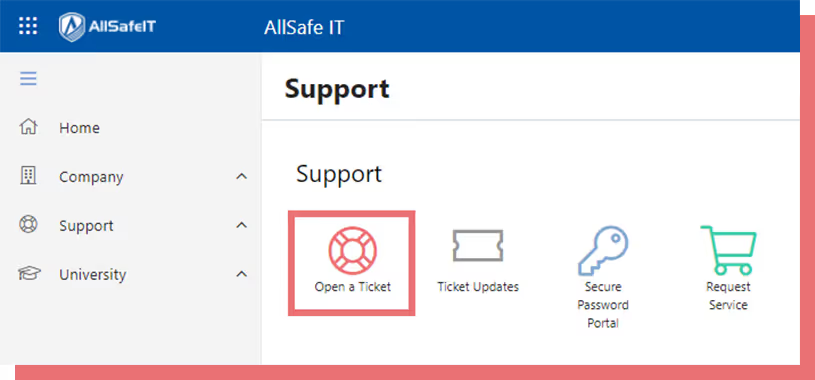
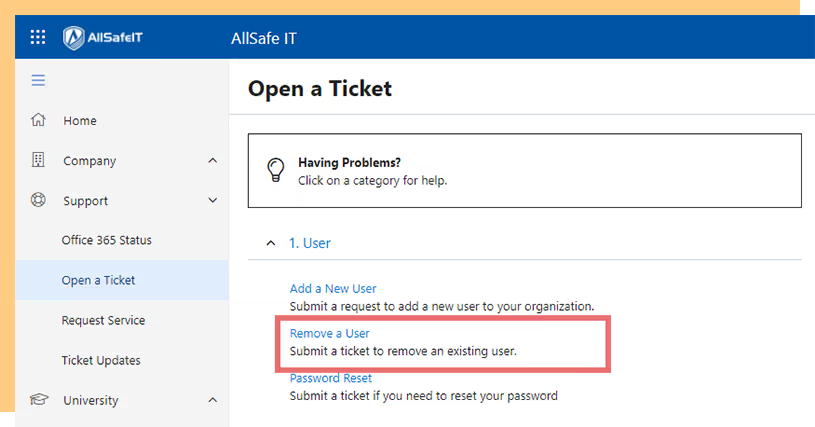
From the AllSafe App home screen, click Open a Ticket.
Click Open a Ticket

Use the AllSafe App on any computer we've onboarded. It takes about two minutes.
The AllSafe App is installed on every computer onboarded by AllSafe IT. Look for a shortcut on your desktop, or open the Start menu and search for "AllSafe App."
Don't have it on your computer? Open app.allsafeit.com in your browser. Sign in with either your Microsoft Office 365 account or an email-based one-time token.
From the AllSafe App home screen, click Open a Ticket.
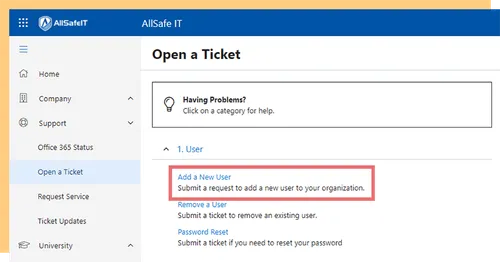
In the ticket category list, choose User, then Add a New User.
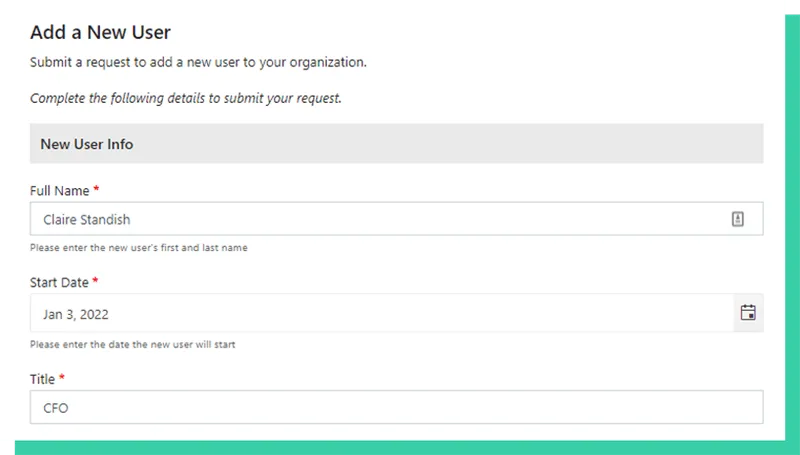
Fill in every field. The more detail you give us, the faster we can provision the account.
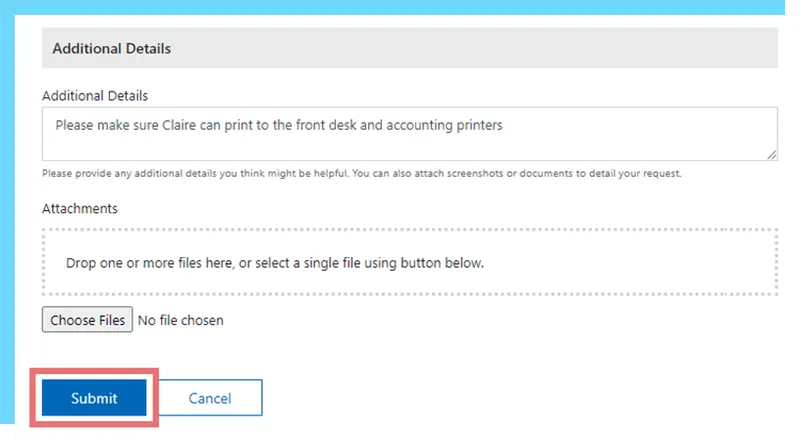
Click Submit. You'll receive a confirmation email with the ticket number.
Start the same way — click Open a Ticket.
Choose User, then Remove a User.
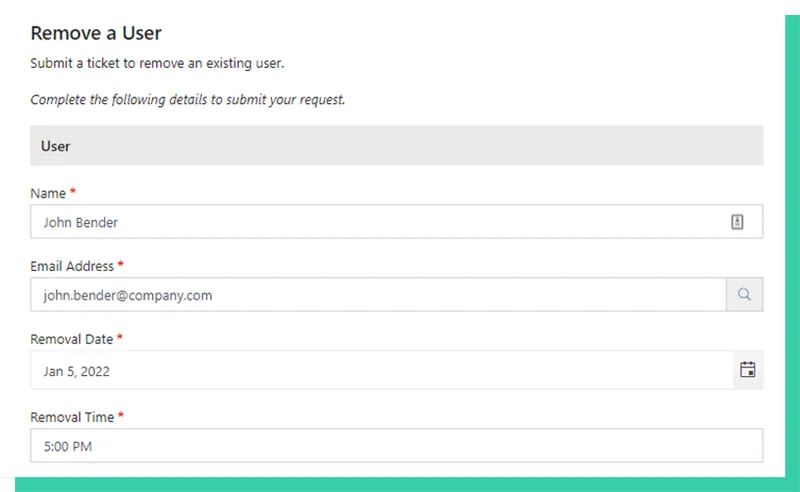
Tell us who the user is and when access should be revoked.
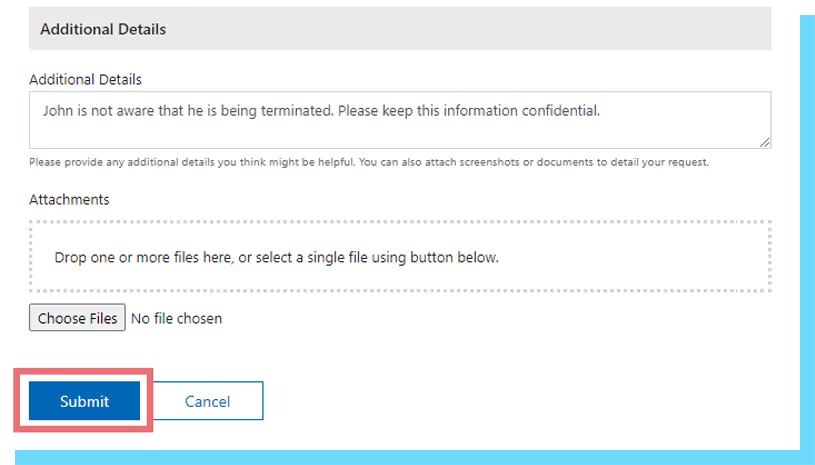
Click Submit — we'll handle the rest within SLA.
Why clients across Southern California trust AllSafe IT as their managed IT partner.
Real engineers, real responses, real fast — most tickets resolved within an hour.
Every recommendation passes through a security lens before it touches your environment.
Vetted, experienced engineers with continuous internal training.
Scope and pricing flex with your team — no penalties for scaling up or down.
Call +1 (213) 784-1959 or email info@allsafeit.com.

We're an IT company serving Los Angeles and Orange County. Small enough to know your name. Big enough to have your back.