

How to FastTrack an Urgent Ticket

Discover how our FastTrack system prioritizes urgent tickets, ensuring rapid technician assignment for quick issue resolution and top-notch support. Learn more!
You can flag a service ticket for escalation if it needs urgent attention. This is called FastTrack. FastTracked tickets will automatically be escalated in priority, and our Help Desk team will be alerted so the ticket can be assigned to a technician right away.
To FastTrack a ticket, follow the steps below:
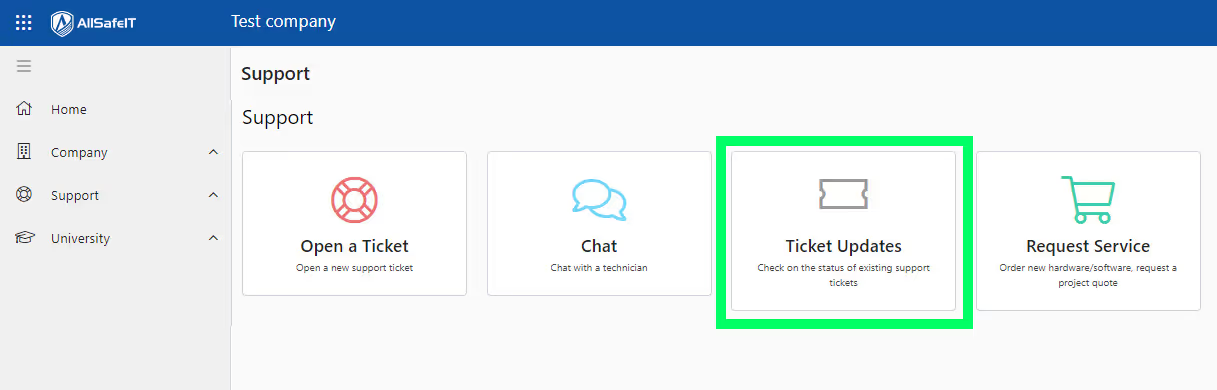
- Login to the AllSafe App and go to Ticket Updates.
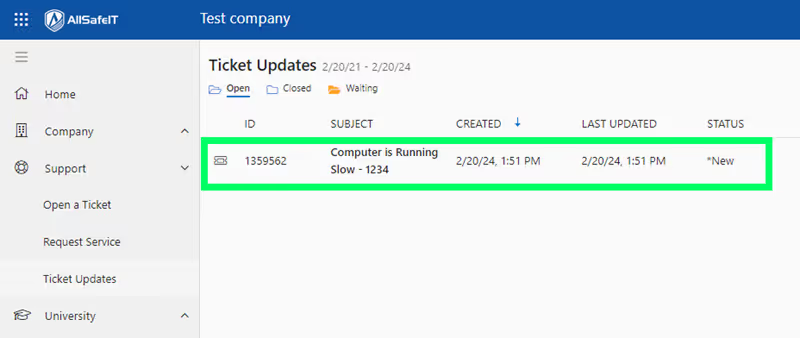
- Find the ticket that you would like to FastTrack and click on it to view its details.
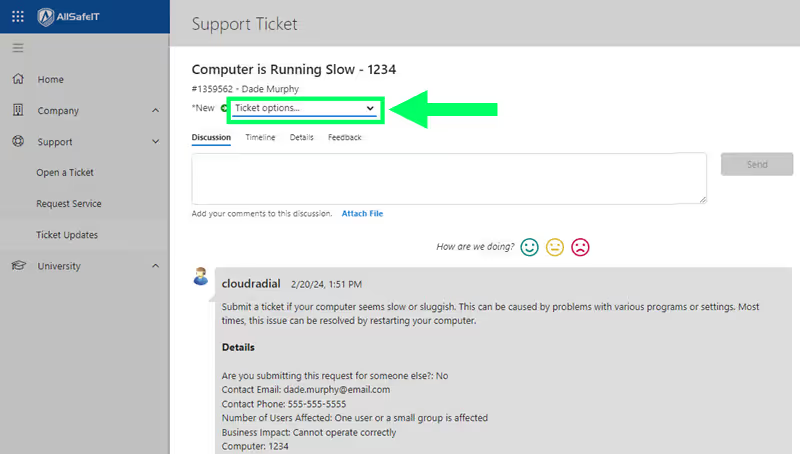
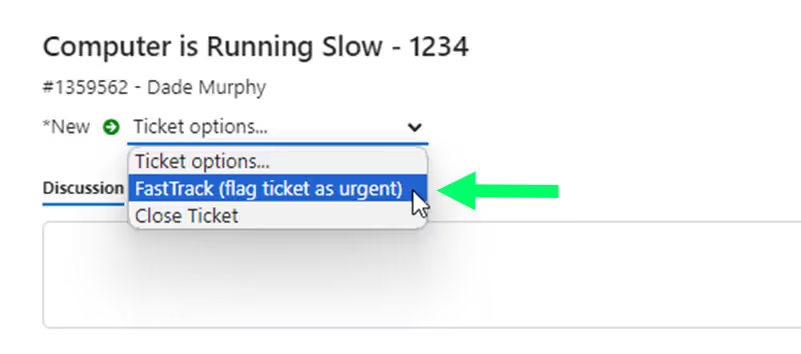
- Click the Ticket options drop down at the top of the ticket’s Discussion tab.
- Select the FastTrack (flag ticket as urgent) option.
- Click OK to confirm.
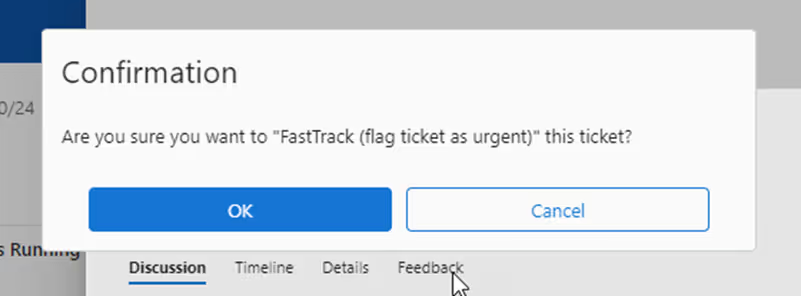
- The ticket priority will be escalated, and the Help Desk team will be alerted.
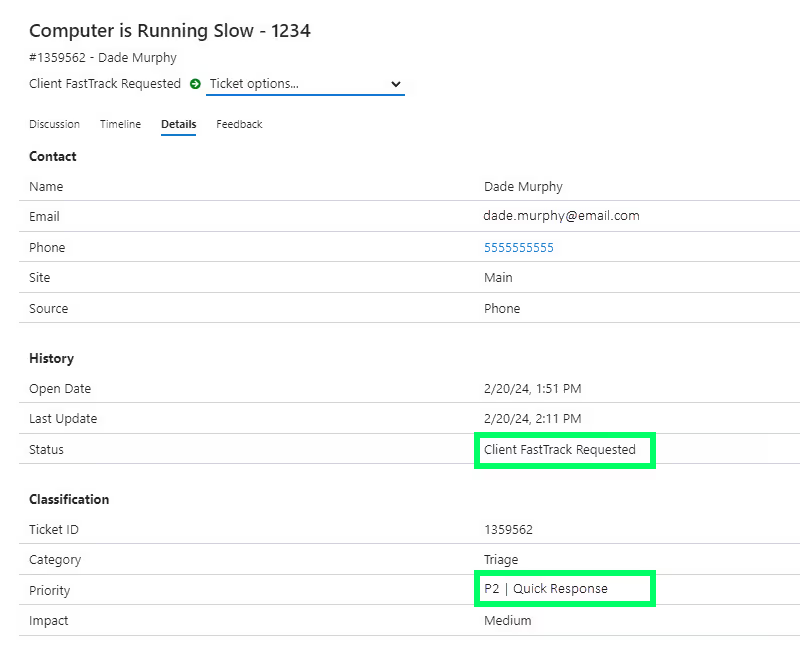
You can confirm that the escalation request went through by checking the ticket’s Details tab. The ticket status will be changed to “Client FastTrack Requested” and the priority will be changed to P2 | Quick Response.