Find the shortcut on your desktop, or open the Start menu and search for "AllSafe App."
No desktop install? Use app.allsafeit.com in your browser.

This guide walks you through requesting support, using the AllSafe App, and reaching us in a true emergency. Bookmark it — you'll come back to it more than you think.
There are three ways to reach us, in order of preference:
Find the shortcut on your desktop, or open the Start menu and search for "AllSafe App."
No desktop install? Use app.allsafeit.com in your browser.
Two options:
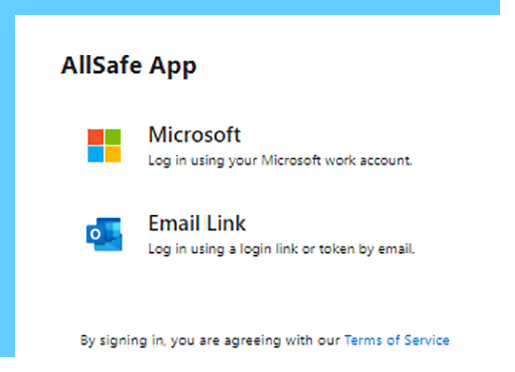
The fastest, easiest, and most-tracked way to get help.
From the app home screen.
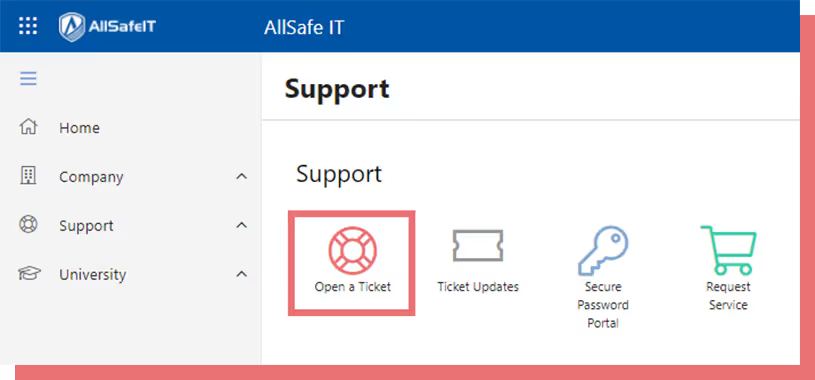
Pick the option that best matches your issue. The more specific, the faster we route.
Describe what's happening, what you expected, and what you've already tried.
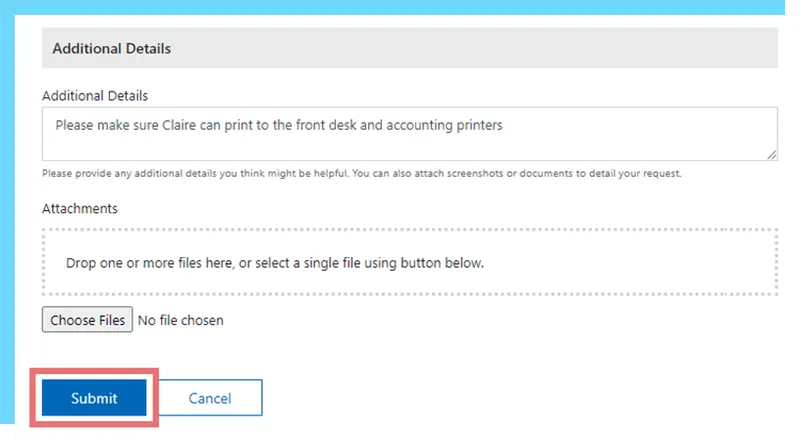
For anything that needs a technician's eyes, you can book a remote session right inside the ticket.
Send to helpdesk@allsafeit.com with a descriptive but concise subject line. We auto-create a ticket from the email. Include screenshots if you have them.
Call (888) 400-2748. Have your asset tag number ready and a brief description of what you've already tried.
You'll see Discussion, Timeline, and Details tabs.
Reply right inside the app, attach files, ask follow-up questions.
See exactly when work started, paused, resumed, and resolved.
Useful when looping in other team members or referencing a prior ticket.
Priority 1 emergency
A Priority 1 emergency is when the issue affects your entire company and stops a critical business process.
For any of these, call (888) 400-2748 immediately and tell the operator it's a P1. Don't submit through the app or email after hours — phone is the right channel.
Quick Start Guide and full Client Manual coming soon. Email helpdesk@allsafeit.com and we'll send the current PDFs.
The standards we hold ourselves to as your IT partner.
Real engineers, real responses, real fast — most tickets resolved within an hour.
Every recommendation passes through a security lens before it touches your environment.
Vetted, experienced engineers with continuous internal training.
Scope and pricing flex with your team — no penalties for scaling up or down.
If you didn't find what you needed above, ask us — we'll handle it personally.