

Ready to transform your IT experience? Reach out to our experts to discuss how our tailored solutions can meet your business needs and keep your technology running smoothly.
Cloud Solutions for Southern California Businesses: CCPA Compliance, Hybrid Work, and Disaster Recovery
Explore a cloud solution, its types, and benefits. Learn how AllSafe IT's tailored services can elevate your business efficiency and security.
Updated: Jun 06, 2026
Southern California businesses operate under a set of pressures that most cloud guides never address. California’s privacy enforcement framework expanded again in 2025, adding cybersecurity audit requirements and new obligations around automated decision-making. The LA basin’s workforce is permanently distributed across multiple counties. And the region’s exposure to earthquakes, wildfires, and utility shutoffs creates infrastructure risks that no on-premise server room was built to survive.
This guide covers what those pressures mean for how you structure and manage your cloud environment. By the time you finish reading, you will understand what California’s updated privacy rules require from your IT setup, how to build cloud infrastructure that actually supports a distributed SoCal workforce, and what separates businesses that recover fast from disasters from those that don’t.
Why Generic Cloud Advice Doesn’t Work Here
Southern California’s industry mix creates compliance obligations that most generic guides ignore. Healthcare providers, financial firms, entertainment studios, legal offices, and manufacturers all operate within the same metro area, each carrying different regulatory burdens. A cloud architecture that works for a retail chain in Texas may expose a Newport Beach financial firm to a CPRA audit it cannot pass.
Geography adds another layer. Los Angeles consistently ranks as the most traffic-congested metro area in the United States, according to INRIX’s 2024 Global Traffic Scorecard. Hybrid and remote work isn’t a trend here. It’s how businesses keep people productive. An IT infrastructure designed around a single office location creates performance bottlenecks for every employee working outside it.
Then there’s the physical risk profile. The greater LA area sits on more than 300 mapped fault lines. Wildfire corridors stretch across Los Angeles and Orange counties. Southern California Edison’s Public Safety Power Shutoff (PSPS) events, which cut power to prevent wildfires, have become an expected part of doing business in the region. Businesses that store their systems in a single on-premise location carry all of that risk without any buffer.
The right cloud architecture addresses all three of these pressures. The sections below break down each one.
The 2026 California Compliance Landscape
What the CPPA’s 2025 Updates Actually Require
In July 2025, the California Privacy Protection Agency finalized sweeping updates to the state’s privacy regulations. The new rules, which you can review directly on the California Privacy Protection Agency’s website, introduced mandatory cybersecurity audits, formal risk assessments for high-risk data processing, and compliance requirements around Automated Decision-Making Technology (ADMT). These are active obligations, not proposed guidance.
Businesses subject to CPRA must now conduct annual cybersecurity audits and submit written certifications of compliance to the CPPA. Any processing activity that presents significant risk to consumers requires a documented privacy risk assessment before that processing begins. The revenue threshold for CCPA applicability adjusted to $26,625,000 in annual gross revenue as of January 2025.
California’s Assembly Bill 1008, signed in September 2024, expanded the definition of personal information to include data stored or processed by AI systems and biometric data collected without consumer knowledge. If your business uses AI-assisted tools, those tools now fall within CCPA’s scope. Your cloud provider’s AI features are not exempt.
Cloud vendor liability is also direct. If a third-party cloud host mishandles California resident data on your behalf, you are contractually responsible for that breach. Your vendor’s non-compliance becomes your CPPA audit problem.
How to Structure Your Cloud Environment for Compliance
Data mapping is the first requirement. You cannot respond to a data subject access request, a deletion request, or a CPPA cybersecurity audit inquiry if you don’t know where your data lives. Before any architecture decisions, document what personal data you collect, where it’s stored, who can access it, and how long you retain it.
Encryption is the minimum baseline under California’s “reasonable security” standard, not an optional upgrade. Data must be encrypted at rest and in transit. Unencrypted storage of personal information is difficult to defend in any enforcement context.
Access controls and role-based permissions reduce your audit exposure. Limit data access to employees who need it for their specific function. Log every access event. Retain those logs in accordance with your documented retention schedule.
The annual cybersecurity audit requirement is new and specific. Businesses need a process for conducting these audits, documenting the results, and certifying compliance. Our IT Audit & Compliance team works through this process with clients across Los Angeles and Orange County.
Regulated Industries in Southern California Face a Dual Burden
Healthcare organizations must satisfy both HIPAA and CCPA/CPRA simultaneously. These are not always compatible. HIPAA requires a signed Business Associate Agreement (BAA) with every vendor that touches protected health information. CCPA adds consumer rights around access, deletion, and opt-out. Any cloud vendor handling patient data needs to satisfy both frameworks. Our HIPAA security services are built specifically for this dual-compliance environment.
Financial services firms in the Newport Beach and Irvine corridor operate under the Gramm-Leach-Bliley Act (GLBA) alongside CCPA. GLBA governs customer financial data. CCPA governs personal information broadly. A cloud environment that satisfies one and ignores the other creates an enforcement gap.
Los Angeles entertainment companies handle proprietary IP alongside consumer personal data. CCPA governs the personal data side. California trade secret law governs the IP. Cloud architecture decisions need to account for both, including where data is physically stored and who at your cloud vendor can access it.
Legal firms face a specific challenge around attorney-client privilege and data residency. Many cloud vendors store data across multiple geographic regions by default. That data movement can create privilege complications. Legal teams need explicit data residency guarantees in their vendor agreements.
Cloud Infrastructure for Southern California’s Hybrid Workforce
The LA Basin Commute Is a Permanent IT Variable
A mid-sized business in the LA area might have employees working from Pasadena, Irvine, the San Fernando Valley, and Long Beach on any given day. That’s not a temporary arrangement. It’s the permanent operating reality for most SoCal employers who made hybrid work decisions after 2020 and didn’t reverse them.
Single-office-centric IT architecture treats the office as the center of everything. All access routes back to a central location. Remote employees connect via VPN, which creates latency. Performance degrades the further a user is from that central point. For a workforce spread across a 60-mile metro area, that design is a built-in bottleneck.
Cloud infrastructure changes that relationship. Access is served from the cloud, not from an office. A user in Pasadena and a user in Irvine experience the same performance because neither is routing through a physical office. Identity and access management becomes the new perimeter, not the network firewall.
What the Right Cloud Architecture Enables for Distributed Teams
Microsoft 365 and Azure Active Directory form the foundation for most mid-market distributed environments. One credential set, one security policy, applied consistently across every device and location. Employees can access files, email, and collaboration tools from any device without a VPN.
Zero Trust security changes how access works in a distributed environment. The traditional model trusted any device on the corporate network by default. Zero Trust requires every user and device to authenticate on every access request, regardless of location. For a workforce spread across Southern California, this model is more practical than trying to perimeter-protect dozens of home offices.
Microsoft 365 optimization matters more than most businesses realize. Default configurations often leave security gaps and performance inefficiencies that aren’t visible until they cause problems. Our Microsoft 365 optimization work frequently uncovers unused license costs and misconfigured permissions alongside security posture improvements.
Workload Segmentation for Hybrid Environments
Not every workload belongs in public cloud. The segmentation decision is the most consequential architectural choice a mid-market business makes. Get it wrong and you either overpay for unnecessary private infrastructure or expose regulated data in a public cloud environment that wasn’t designed for it.
Public cloud fits collaboration tools, email, productivity applications, and lower-sensitivity business data. These workloads benefit from public cloud’s scalability and cost structure. They don’t carry regulatory requirements that demand stricter controls.
Regulated workloads belong in a controlled environment. HIPAA-covered health information, CCPA-regulated personal data, proprietary financial records, and sensitive legal files all require stricter access controls, dedicated logging, and vendor agreements that standard public cloud terms don’t typically provide. A hybrid model, where regulated data sits in a private or controlled environment while general workloads run in public cloud, is the right answer for most SoCal mid-market businesses.
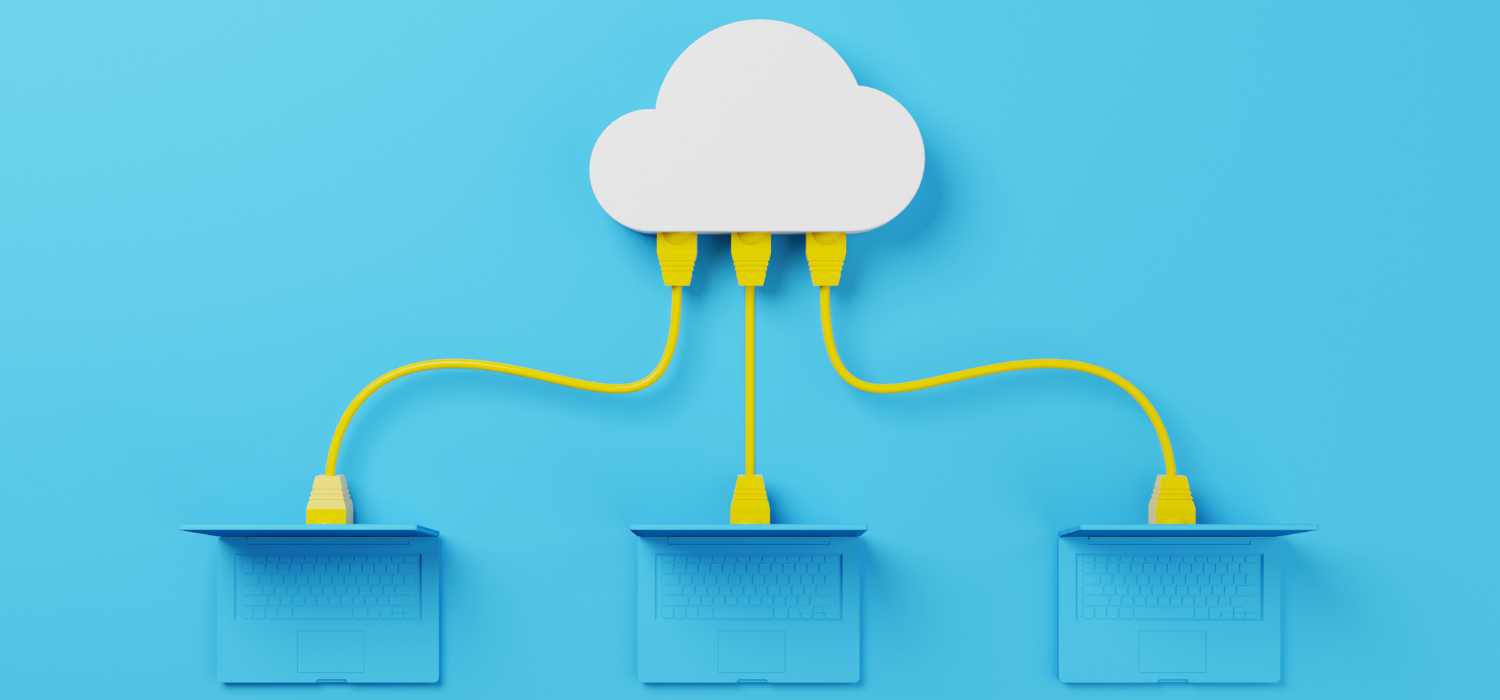
Managed infrastructure as a service provides the scalable cloud infrastructure layer that supports this hybrid model, with continuous performance monitoring and 24/7 support built in.
Regional Business Continuity for Southern California
The SoCal Risk Profile Is Distinct
The Newport-Inglewood fault runs directly beneath Orange County’s financial district in Newport Beach and Irvine. The Puente Hills fault system sits under the eastern San Gabriel Valley. Neither is a fringe geological curiosity. Both are capable of producing major earthquakes in areas with dense business concentrations.
The January 2025 Palisades and Eaton fires demonstrated the direct business continuity impact of wildfire events on the LA area. Businesses operating from on-premise infrastructure in affected zones lost access to their systems entirely when evacuations closed offices and cut power. Businesses running cloud-first operations redirected their teams to alternate locations and maintained productivity within hours.
SoCal Edison’s Public Safety Power Shutoff events are scheduled, recurring power cuts triggered by high fire-risk conditions. They are not random outages. They affect specific geographic zones, often with 48 hours’ advance notice, and occur multiple times per year across parts of LA and OC. On-premise server rooms without full generator backup are directly exposed during every PSPS event.
A business running everything from a single physical location in this geography is accepting a level of operational risk that cloud architecture directly addresses.
Cloud Architecture for Seismic and Disaster Resilience
Geographic redundancy is the structural answer to SoCal’s disaster risk. A primary cloud region plus a secondary region outside the Southern California fault zone means a localized disaster cannot take your systems offline. Microsoft Azure, AWS, and Google Cloud all support multi-region architectures. Most mid-market businesses don’t use them, which means they’re running geographically redundant cloud platforms in a geographically single-point-of-failure configuration.
Recovery Time Objective (RTO) and Recovery Point Objective (RPO) are the two numbers that define how prepared your continuity plan actually is. RTO is how long your systems can be down before operations are materially affected. RPO is how much data you can afford to lose between backups. SoCal businesses in regulated industries should target an RTO under four hours and an RPO under one hour. Most on-premise setups cannot approach those numbers without dedicated disaster recovery infrastructure.
Automated failover matters when a disaster hits at 2am on a Sunday. A recovery process that requires a human to initiate it will not run until someone wakes up and gets online. Automated failover systems detect the outage and trigger recovery without human intervention. For businesses in earthquake or wildfire zones, that automation is the difference between a two-hour disruption and a two-day one.
The 3-2-1 backup rule applies directly to cloud environments: three copies of your data, on two different storage media, with one copy stored outside your primary geographic region. Our data backup and recovery services are structured around this framework for SoCal clients.
What Business Continuity Planning Looks Like for LA and OC Businesses
A continuity plan that has never been tested is a document, not a plan. The Los Angeles County Economic Development Corporation’s earthquake business planning guide recommends testing continuity plans at least annually, with all stakeholders involved, including management, employees, contractors, and service providers. Quarterly testing is appropriate for businesses in regulated industries.
Cloud-first continuity works differently from legacy continuity. A legacy plan often assumes the primary office will eventually be accessible again and centers recovery on physical restoration. A cloud-first plan assumes the office may be inaccessible for days or weeks and routes operations through the cloud environment from day one of the event.
Proactive IT maintenance keeps the underlying systems that support business continuity in working order before a crisis. Deferred patching, unmonitored systems, and outdated configurations create failure points that only become visible during a real event.

Choosing the Right Cloud Model for Your Business
The SoCal Decision Framework
Public cloud is the right environment for collaboration tools, email, productivity applications, and business data that doesn’t carry regulatory requirements. The pay-as-you-go cost model and on-demand scalability make public cloud well-suited to workloads where volume fluctuates and regulatory controls are minimal.
Private or controlled cloud is appropriate for any workload carrying HIPAA, CCPA, GLBA, or attorney-client privilege requirements. This includes health records, financial customer data, consumer personal information subject to CCPA data subject rights, and sensitive legal files. Private cloud provides dedicated resources, stricter access controls, and vendor agreements that can include the specific compliance certifications your industry requires.
Hybrid is the practical answer for most SoCal mid-market businesses with 25 to 250 employees. You almost certainly run a mix of regulated and unregulated workloads. A hybrid model puts each workload in the environment that fits its requirements, without paying for private infrastructure across everything or exposing regulated data in public cloud.
Cloud migration planning is where this decision gets made in practice. The assessment phase maps your current workloads to the right destination environment before a single file moves.
Questions to Ask Before You Choose a Cloud Provider
Where is your data physically stored? California data residency matters for CCPA audit defensibility, and data stored in international data centers can complicate data subject access and deletion requests that cross jurisdictions.
Will the vendor sign a Data Processing Agreement or a Business Associate Agreement? For healthcare data, a signed BAA is a HIPAA requirement, not a preference. For any regulated data, a DPA establishes contractual accountability for compliance. A vendor who won’t sign one is telling you something about how they view their compliance obligations.
What compliance certifications does the vendor hold? SOC 2 Type II and ISO 27001 are the baseline certifications that indicate a vendor has been audited against recognized security controls. Ask for the audit reports, not just the logos on the website.
How does the vendor handle incident notification? California’s CCPA requires notification within 72 hours of a qualifying breach. Confirm that your vendor’s incident response procedures align with that timeline before you sign their agreement.
Common Cloud Mistakes Southern California Businesses Make
Moving workloads to the cloud without a prior data classification and compliance mapping exercise is the most expensive mistake mid-market businesses make. They move everything to public cloud quickly, then spend far more money and time restructuring when a compliance review reveals regulated data sitting in an environment that can’t pass audit.
Ignoring data residency is a related problem. California personal data stored in out-of-state or international data centers can complicate CCPA data subject requests and CPPA audit responses. Default cloud configurations often distribute data across multiple regions without making that explicit. Know where your data lives before you sign a vendor agreement.
Cloud sprawl is a cost and security problem at the same time. Mid-market businesses accumulate SaaS and IaaS subscriptions across departments without central visibility. The result is paying for unused capacity, running unmonitored access points, and creating security exposure through shadow IT. A cybersecurity and endpoint protection posture review frequently surfaces these gaps.
Single-region cloud dependency is the infrastructure equivalent of keeping everything in one office. One Azure region or one AWS region with no secondary region means a regional event can still take your operations offline. Geographic redundancy applies to cloud environments, not just physical ones.
Businesses that defer cloud migration planning until a hardware failure forces the issue end up migrating under pressure. Decisions made under pressure rarely produce the right architectural outcome. Our server management and monitoring work frequently surfaces hardware nearing end-of-life before it becomes an emergency. That lead time is what allows for planned migration rather than reactive scrambling.

Getting Your Cloud Environment Right
Southern California businesses manage a specific combination of regulatory obligations, workforce realities, and physical risks that generic cloud strategies don’t account for. The CPPA’s 2025 enforcement updates changed the compliance floor for California businesses operating in the cloud. The permanent hybrid workforce across the LA basin requires infrastructure that performs for distributed teams, not for a single central office. And the region’s earthquake, wildfire, and grid reliability profile makes geographic redundancy and tested continuity planning a practical necessity, not a theoretical best practice.
Getting the architecture right starts with understanding where you currently stand. AllSafe IT works with businesses across Los Angeles, Orange County, and Pasadena to assess cloud environments against California’s compliance requirements and the region’s operational risks. If you’d like a clear assessment of your current setup, contact our team to schedule a consultation.
Frequently Asked Questions
What CCPA and CPRA compliance requirements apply to cloud environments in California in 2026?
California businesses meeting the applicable revenue or data volume thresholds must map and document all personal data stored in cloud environments, implement encryption and access controls, and conduct annual cybersecurity audits under the CPPA’s 2025 regulations. Third-party cloud vendors handling California resident data must be covered under Data Processing Agreements, and businesses are directly responsible for their vendors’ compliance failures. The current revenue threshold for CCPA applicability is $26,625,000 in annual gross revenue, adjusted in January 2025. Businesses processing data for 100,000 or more California residents or households annually also fall under the law regardless of revenue.
How does the CPPA’s 2025 cybersecurity audit mandate affect how businesses must manage cloud data?
The CPPA’s July 2025 final regulations require businesses subject to CPRA to conduct annual cybersecurity audits and submit written certifications of compliance to the agency. These audits must document your information systems, identify gaps against recognized security frameworks like NIST or ISO, and include a remediation plan for any vulnerabilities found. Businesses using AI-assisted tools must also assess those tools under the new Automated Decision-Making Technology requirements, which now apply to cloud-hosted AI features. Businesses that have never conducted a formal cybersecurity audit should treat that as the immediate first step.
What cloud architecture works best for businesses with hybrid teams across Los Angeles and Orange County?
A hybrid cloud model fits most SoCal mid-market businesses with distributed teams. Collaboration tools, email, and general productivity applications run well in public cloud, where scalability and cost structure are practical. Regulated data, including health records, consumer personal information, and financial customer data, belongs in a controlled environment with stricter access controls and dedicated compliance certifications. Microsoft 365 paired with Azure Active Directory provides the identity and access layer that ties both environments together for a workforce spread across the LA basin.
How should Southern California businesses account for earthquakes and wildfires in their cloud continuity planning?
Cloud environments need geographic redundancy: a primary cloud region plus a secondary region outside the Southern California fault zone. This ensures a localized seismic or wildfire event cannot take your systems offline. Automated failover removes the dependency on a human initiating recovery during an off-hours event. Businesses should define and test specific Recovery Time and Recovery Point Objectives, with regulated industries targeting RTO under four hours and RPO under one hour. Those targets should be validated through tabletop exercises at minimum annually.
What is the difference between disaster recovery and business continuity for cloud environments?
Disaster recovery focuses on restoring IT systems and data after a specific incident. Business continuity addresses the broader question of how operations continue during and after a disruption, including communication plans, employee access, and client service delivery. For cloud environments, disaster recovery means automated failover, geographic data redundancy, and tested restoration procedures. Business continuity means your team can operate from any location using cloud-hosted systems, even if your physical office is inaccessible for days or weeks. You need both, and they require separate planning.
How do I verify that my cloud vendor is compliant with California data privacy requirements?
Ask for SOC 2 Type II and ISO 27001 audit reports, not just certification badges on their website. Confirm the vendor will sign a Data Processing Agreement, and for healthcare workloads, a HIPAA Business Associate Agreement. Review their incident notification procedures and confirm they can meet California’s 72-hour breach notification requirement. Ask specifically where your data is stored geographically, and confirm the vendor has documented processes for responding to data subject access and deletion requests within CCPA’s required timeframes. Vendors who are hesitant to provide audit reports or sign compliance agreements typically indicate a compliance posture that doesn’t hold up under scrutiny.