

Ready to transform your IT experience? Reach out to our experts to discuss how our tailored solutions can meet your business needs and keep your technology running smoothly.
Broadband vs Fiber Internet: Key Differences for Business
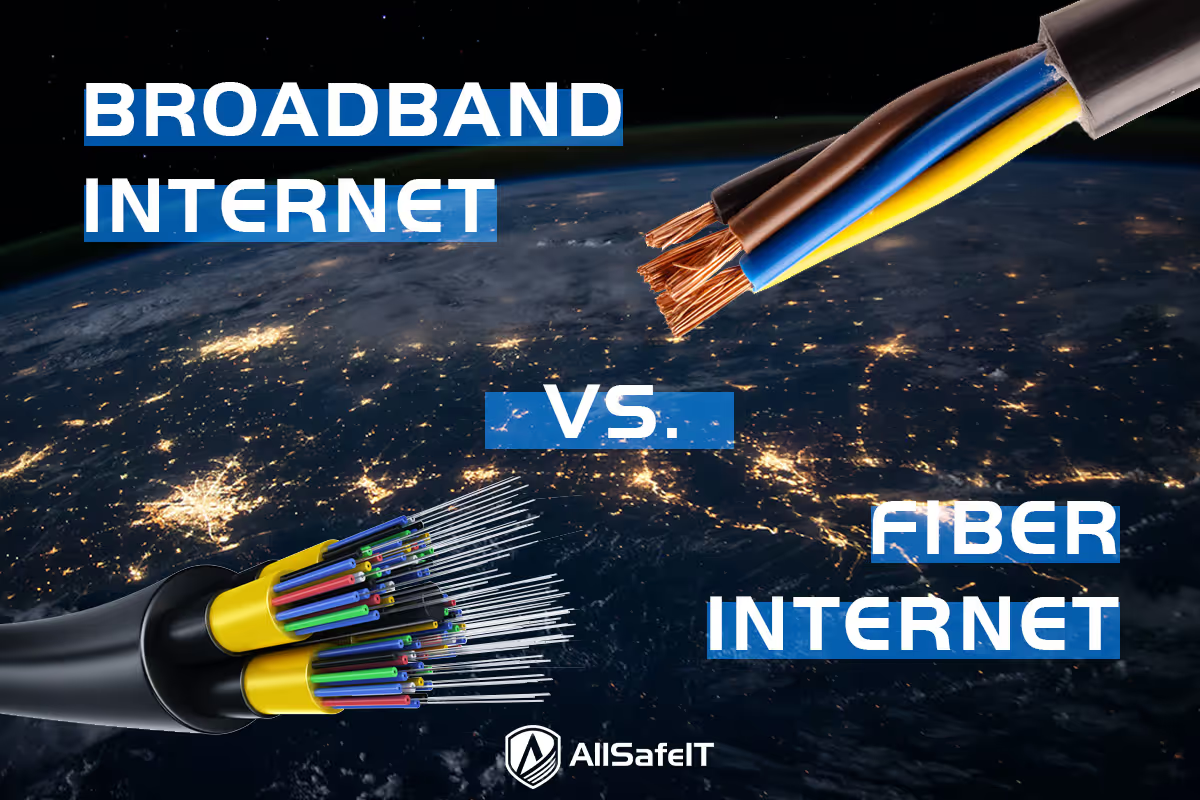
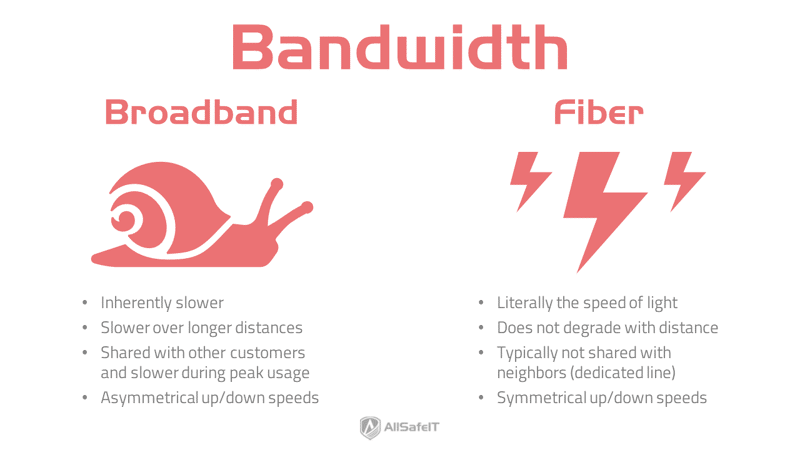
Quick answer: Fiber is a type of broadband. “Broadband” means any always-on, high-speed internet connection: cable, DSL, fixed wireless, satellite, or fiber. So the real comparison is fiber vs other broadband types. Fiber carries data as light through glass strands. It gives you the fastest upload speeds, the lowest latency, and the steadiest performance at peak hours. Cable and other broadband cost less and are easier to find, but uploads are slower and speeds can dip when the network is busy.
For most businesses, that difference shows up in three places: video calls, cloud apps, and large file uploads. This guide explains how each connection works and what the 2026 data shows. It also covers how to pick the right one for your office.
Is Broadband the Same as Fiber?
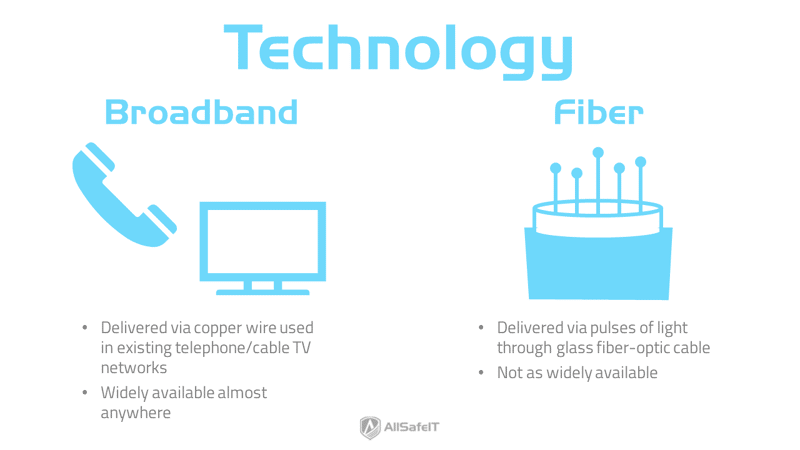
No. Broadband is the category, and fiber is one technology inside it.
Think of it like “vehicle” vs “electric truck.” Every electric truck is a vehicle, but not every vehicle is an electric truck. In the same way, all fiber internet is broadband, but most broadband is not fiber.
The confusion comes from marketing. Internet providers often say “broadband” when they mean cable or DSL, and “fiber” when they mean their premium tier. When someone searches “broadband vs fiber,” they usually mean one of two things:
- Fiber vs cable internet. This is the most common comparison in cities.
- Fiber vs DSL or wireless. This is more common in older buildings and rural areas.
Broadband vs Fiber at a Glance
| Factor | Fiber (FTTP) | Cable (DOCSIS) | DSL | Fixed Wireless / 5G | Satellite |
|---|---|---|---|---|---|
| Medium | Glass fiber, light signals | Coaxial copper (fiber to the node) | Copper phone lines | Radio signals | Radio link to orbit |
| Typical business speeds | 500 Mbps to 10 Gbps | 300 Mbps to 2 Gbps | Under 100 Mbps | 100 to 500 Mbps | 100 to 300 Mbps |
| Upload vs download | Usually symmetrical | Asymmetrical (DOCSIS 4.0 narrows the gap) | Asymmetrical | Asymmetrical | Asymmetrical |
| Idle latency (FCC data) | 7 to 14 ms | 12 to 24 ms | 23 to 34 ms | Varies by signal | Varies by orbit |
| Peak-hour slowdowns | Rare | Common in busy areas | Distance-sensitive | Weather and load | Weather and load |
| Works in a power outage? | Only with backup power | Only with backup power | Only with backup power | Only with backup power | Only with backup power |
| SLA available? | Yes, on business and dedicated plans | Sometimes, business plans | Rarely | Rarely | Rarely |
| Availability | Growing fast, still gaps | Wide in cities | Wide but shrinking | Wide | Nearly universal |
Latency ranges come from the FCC’s Measuring Broadband America report. Speed ranges are typical plan tiers, not guarantees. Always check the plan’s broadband label.
What Is Broadband Internet?
Broadband internet is any high-speed connection that stays on all the time. It replaced dial-up. The term covers several delivery methods, each with its own strengths and limits.
The FCC Definition of Broadband in 2026
The FCC defines fixed broadband as at least 100 Mbps download and 20 Mbps upload. The FCC kept that benchmark in its 2026 broadband report. The same report dropped the long-term goal of 1 Gbps download and 500 Mbps upload that it set in 2024.
For a business, 100/20 is a floor, not a target. An upload of 20 Mbps can strain once a handful of people are on video calls at the same time while cloud backups run.
Cable Internet (DOCSIS 3.1 and 4.0)
Cable runs over the same coaxial lines used for cable TV. Most cable networks are “hybrid fiber-coax.” Fiber carries data to a neighborhood node, and copper coax covers the last stretch to your building.
Cable’s weak spot is upload speed. Most plans offer uploads at a fraction of the download speed. Bandwidth on a node is also shared, so heavy use nearby can slow you down.
Cable is improving. The newer DOCSIS 4.0 standard supports up to 10 Gbps download and 6 Gbps upload. Rollout is still limited in 2026, and most areas still run DOCSIS 3.1.
DSL
DSL stands for Digital Subscriber Line. It sends data over copper telephone wires. Speed drops the farther you are from the provider’s equipment. Many carriers are retiring copper networks, so DSL is fading in most metro areas.
Fixed Wireless and 5G Home Internet
Fixed wireless uses radio signals from a nearby tower to an antenna at your site. 5G home and business internet works the same way over cellular networks. It sets up fast and needs no trenching, which makes it useful for temporary sites and backup links. Speeds rise and fall with signal strength, tower load, and weather.
Satellite Internet
Satellite links your site to a dish that talks to satellites in orbit. It reaches places no cable can. Older geostationary satellites orbit far from Earth and add noticeable delay. Newer low-earth-orbit services cut that delay a lot. The FCC estimates that nearly all Americans can now get 100/20 Mbps satellite service. Even so, satellite is a fallback or remote-site option for most offices, not a primary link.
What Is Fiber Internet?
Fiber internet sends data as pulses of light through thin strands of glass. Glass does not carry electricity, so fiber avoids the electrical interference that affects copper. It can also carry far more data over longer distances.
How Fiber Optic Internet Works
A fiber connection has three main parts:
- OLT (Optical Line Terminal): the provider’s equipment at its hub.
- The fiber line: glass strands running from the hub to your building, often through a passive splitter.
- ONT (Optical Network Terminal): a small box at your site that turns light into an Ethernet signal. Your router or firewall plugs into it. Fiber does not need a cable modem. The ONT does that job.
One common myth is worth clearing up. Fiber is not fast because data moves “at the speed of light.” Light in glass travels at about two-thirds of its speed in a vacuum. Fiber’s real advantage is capacity. One strand can carry huge amounts of data in both directions with very little signal loss.
FTTP vs FTTC vs “Fiber-Powered”: What the Label Means
Not everything sold as “fiber broadband” is fiber to your door.
- FTTP or FTTH (Fiber to the Premises or Home): Fiber runs all the way into your building. This is true fiber internet.
- FTTC (Fiber to the Curb or Cabinet): Fiber stops at a street cabinet, and copper covers the last stretch. In the UK, “fibre broadband” often means FTTC. Full fiber is sold as “full fibre” there. That explains much of the “broadband vs fibre” confusion.
- “Fiber-powered” cable: Some cable providers use this phrase because fiber runs to the neighborhood node. The connection into your office is still coax. Before you sign, ask one question: “Is fiber delivered directly into our building?”
Shared Business Fiber vs Dedicated Fiber (DIA)
Most fiber, including many business plans, uses a Passive Optical Network (PON). A passive splitter divides one fiber strand among many customers, often 32 or 64 locations. Common standards include:
- GPON: about 2.5 Gbps down and 1.25 Gbps up, shared across the splitter.
- XGS-PON: about 10 Gbps each way, also shared. Shared fiber still beats cable on consistency, because PON networks have plenty of headroom. But it is “best effort” service with “up to” speeds.
Dedicated Internet Access (DIA) is different. You get a private circuit with committed bandwidth that you do not share. DIA includes a service level agreement (SLA) that covers uptime, latency, and repair time. It also costs more and can take several weeks to a few months to install, especially if the provider has to build a new line to your building.
Broadband vs Fiber: 8 Key Differences
1. Speed and Bandwidth
Fiber plans commonly range from 500 Mbps to multi-gigabit tiers. Cable tops out around 1 to 2 Gbps on most plans today. DSL rarely passes 100 Mbps.
Remember the units. Internet speed is measured in megabits (Mb). File sizes are measured in megabytes (MB). One byte equals 8 bits, so a 1 Gbps line moves about 125 megabytes per second at best.
2. Upload Speed and Symmetry
This is where fiber pulls ahead for business use. Most fiber plans are symmetrical, so upload matches download. Cable uploads are often a tenth of download speed or less.
Uploads matter more than most owners expect. They power:
- Video calls in Microsoft Teams and Zoom
- Cloud backups and file sync
- Sending large files, drawings, or video
- Remote desktop and VPN sessions
- Security cameras that stream to the cloud
3. Latency, Jitter, and Call Quality
Latency is the delay for data to make a round trip. Jitter is how much that delay changes from moment to moment. Both affect voice and video more than raw speed does.
FCC testing found idle latency of 7 to 14 ms for fiber, 12 to 24 ms for cable, and 23 to 34 ms for DSL. Latency also rises when a line is busy, and the jump was largest on DSL. If your office runs business VoIP, a low-jitter connection is the difference between clear calls and choppy ones.
4. Reliability and Peak-Hour Performance
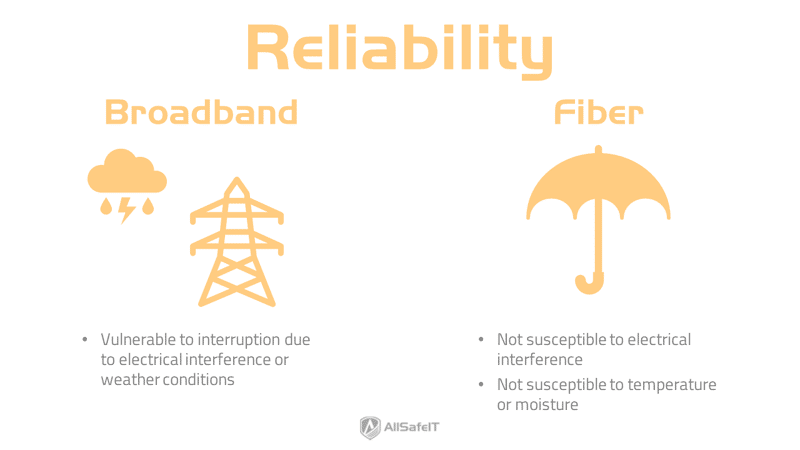
Cable bandwidth is shared across a neighborhood node. When many users are online, such as late afternoon in a mixed office and residential area, speeds can dip.
Fiber is less affected by congestion. Glass also ignores electrical interference from nearby motors, power lines, and heavy equipment. That makes fiber a strong fit for industrial parks and busy commercial corridors.
No connection is outage-proof, though. Construction crews cut fiber and coax lines alike. That is why backup links matter (see below).
5. Power Outages and Weather
Here is a common myth: fiber keeps working when the power goes out. In practice, it usually doesn’t. The ONT at your site needs electricity, and so do your router, firewall, and switches.
To stay online during a short outage:
- Plug the ONT, router, firewall, and core switch into a UPS (battery backup).
- Ask your provider whether it offers a battery backup for the ONT.
- Confirm that the provider’s own neighborhood equipment has backup power.
- Keep a cellular backup for critical phones and payment systems. In weather, fiber holds up well. Glass does not corrode like copper, and water does not short it out.
6. Security
Neither connection type makes your network secure on its own. Fiber is harder to tap physically, but most attacks come through email, stolen passwords, and unpatched devices, not the cable in the wall.
Security comes from what sits behind the connection:
- A properly configured managed firewall
- Multi-factor authentication
- Patched devices
- Monitored networks
7. Cost, Installation Time, and Contracts
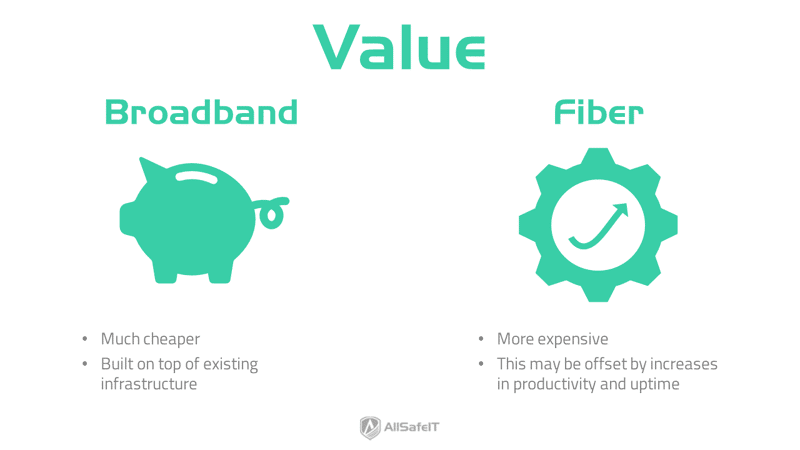
Cable and DSL usually cost less each month because they use existing lines. Shared business fiber is often priced close to cable where both are available. Dedicated fiber costs more because the circuit is yours alone and comes with an SLA.
Installation time varies widely:
- Cable and shared fiber: often days to a couple of weeks if the building is already wired.
- Dedicated fiber: can take weeks to months if the provider needs to build a new line into your building. Read contract terms closely. Multi-year agreements can carry early termination fees that affect when you can switch.
8. Availability in 2026
Fiber is spreading fast. The Fiber Broadband Association reports that fiber now passes more than 60% of U.S. households. 2025 set a record with 11.8 million new passings. The group expects fiber to overtake cable as the most common delivery method as early as 2028.
Availability is still spotty from building to building. One office park may have three fiber providers while the next block has only cable. Always check by exact street address.
Which Is Better for Your Business?
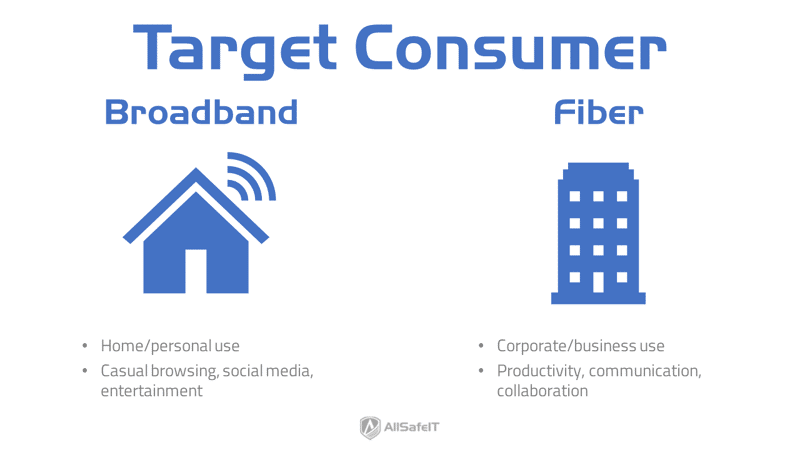 Fiber is the better choice for most offices that depend on cloud apps, video calls, and VoIP. Cable can still work well for lighter needs. Here is how that plays out by business type.
| Business type | What drives the decision | Recommended setup |
|---|---|---|
| Medical or dental office | Cloud EHR, imaging uploads, telehealth, VoIP | Business fiber with a cable or 5G failover |
| Law or accounting firm | Document management, remote desktop, heavy Teams use | Fiber if available; business cable with failover as a fallback |
| Media or post-production studio | Large file uploads, cloud rendering, client reviews | Symmetrical multi-gig fiber or DIA |
| Construction company | Office plus temporary jobsite trailers | Fiber at the main office; 5G or satellite at jobsites |
| Retail store or restaurant | POS uptime matters more than raw speed | Cable or fiber plus cellular failover |
| Multi-site or compliance-heavy firm | Site-to-site traffic, hosted systems, audit needs | DIA with an SLA at the main site |
Healthcare offices should also factor in HIPAA. Uptime and access to patient data are part of your healthcare IT planning, not just a convenience. Studios and production teams face a different issue: slow uploads are often their biggest bottleneck. Our media and entertainment IT team sees upload speed drive more decisions than download speed.
When Cable or Other Broadband Is Still Enough
Fiber is not always worth switching for. Standard broadband can serve you well when:
- Fiber is not available at your address yet.
- Your team works mostly in email, browser apps, and occasional video calls.
- Your cable service is stable in your area and priced well.
- The real problem is inside your office, not the internet line. That last point comes up often. Old routers, weak Wi-Fi coverage, and aging network cabling can make a fast connection feel slow. Test on a wired Ethernet connection before you blame your provider.
How to Switch From Broadband to Fiber
When we help an office compare connections, we follow the same steps every time. You can use them too.
- Check availability by address. Search your exact location on the FCC National Broadband Map. It shows which providers report service there and which technology they use.
- Compare broadband labels. Providers must publish broadband consumer labels showing typical speeds, latency, and fees. Use them to compare plans on equal terms.
- Measure what you use today. Run wired speed tests at different times of day. Note your upload speeds and any slowdowns during calls.
- Ask the right questions. Confirm whether fiber runs into your building, whether the plan is shared or dedicated, and whether static IP addresses are included. Ask about the uptime SLA and the average repair time.
- Check your equipment. Make sure your firewall and router can handle the new speed. Many older devices top out well below 1 Gbps.
- Plan the cutover. Schedule installation after hours if possible. Update firewall rules, VPNs, and phone system settings ahead of time.
- Keep your old line until fiber is proven. Run both for a week or two. Cancel the old service only after fiber has been stable.
- Turn the old line into a backup. In many cases, keeping a lower-cost cable plan as failover is the smart move.
Use Both: Fiber Primary, Broadband Backup
The most resilient setup is not fiber or broadband. It is fiber and broadband.
A dual-WAN firewall or SD-WAN device watches both connections. If the fiber line drops, traffic shifts to the backup link within seconds. Calls stay up. Payment terminals keep working. Cloud apps stay reachable.
For the backup, pick a different provider using a different path into your building. Two services from the same carrier on the same pole do not protect you from the same construction accident.
This kind of redundancy belongs in your broader business continuity plan. An internet outage is one of the most common ways an office loses a workday.
Broadband vs Fiber FAQs
Is fiber broadband faster than cable?
Usually, yes. Fiber offers higher top speeds and much faster uploads. It also has lower latency than cable. Some DOCSIS 4.0 cable plans now offer symmetrical speeds, but they are still limited to select areas.
Is fiber worth it if my download speed stays the same?
Often, yes. A 1 Gbps fiber plan and a 1 Gbps cable plan can feel very different. Fiber’s faster uploads, lower latency, and steadier peak-hour performance improve video calls, VoIP, and cloud backups.
Does fiber internet need a modem?
No. Fiber uses an ONT instead of a cable modem. The ONT converts the light signal into Ethernet for your router or firewall.
Does fiber internet work during a power outage?
Not without backup power. The ONT, router, and firewall all need electricity. Put them on a UPS, and ask your provider about ONT battery backup.
What does “fibre broadband” mean in the UK?
In the UK, “fibre broadband” often means fiber to the street cabinet, with copper for the final connection. Fiber all the way to the building is usually sold as “full fibre.”
What is fiber broadband?
Fiber broadband is high-speed internet delivered over fiber optic cables that carry data as light. It is one type of broadband, alongside cable, DSL, fixed wireless, and satellite.
Is broadband internet vs fiber optic a question of security?
Not really. Both need the same protections: a managed firewall, multi-factor authentication, and patched devices. The connection type affects performance far more than security.
The Bottom Line
Broadband is the category. Fiber is the strongest option inside it. If fiber reaches your building, it is usually the right primary connection for a business that runs on cloud apps, video calls, and VoIP. Pair it with a separate broadband line for failover, and your office stays online even when one provider has a bad day.
Not sure what your building can get, or whether your current setup is holding you back? AllSafe IT helps businesses across Los Angeles, Pasadena, and Orange County compare providers, plan cutovers, and set up failover. Talk to our team to review your options.