Wipe the surface so the adhesive bonds cleanly. Skip any cloth that leaves residue.
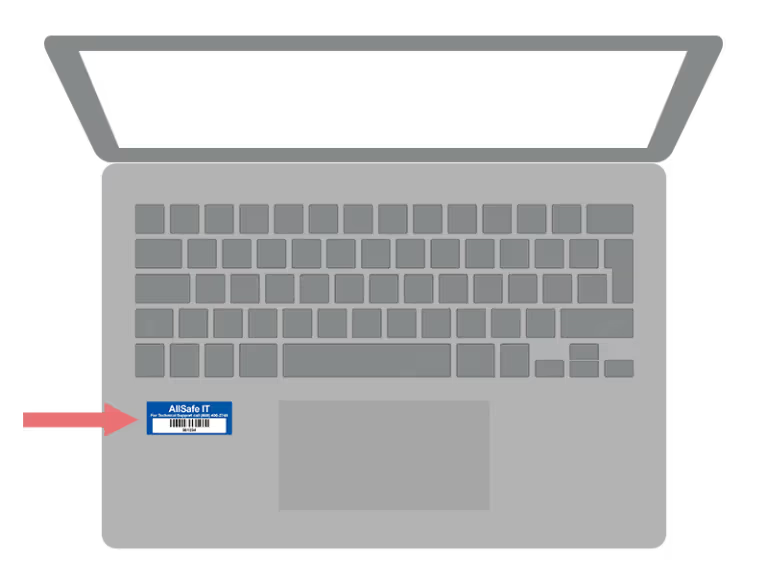
Laptop
Below the keyboard, just to the left of the trackpad.

Asset tags are blue rectangular stickers with a barcode and a 6-digit identifier. They live on each computer we manage so we can track hardware accurately.
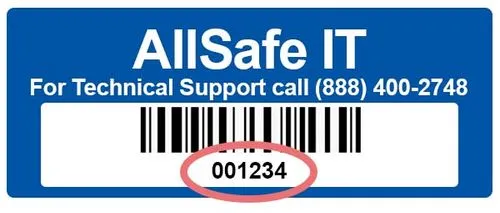
Use these placement rules so anyone on your team can find the tag at a glance.
Below the keyboard, just to the left of the trackpad.
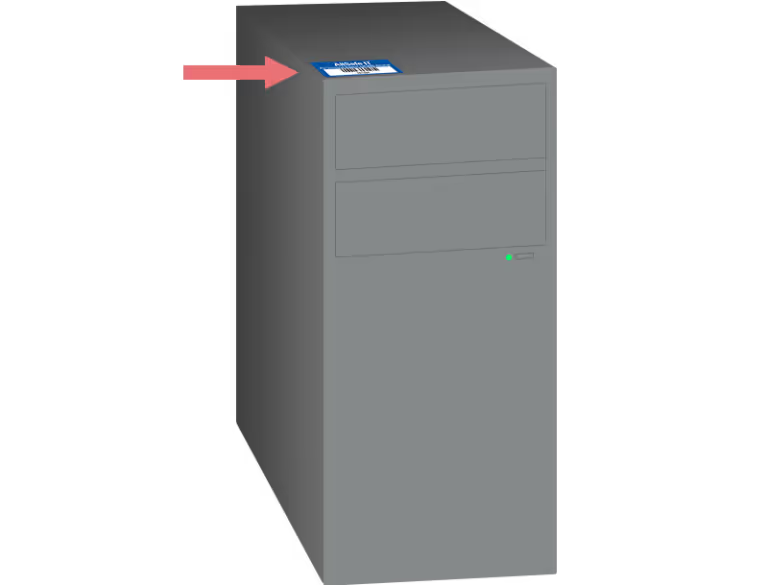
Front left corner of the top surface, where it's clearly visible.
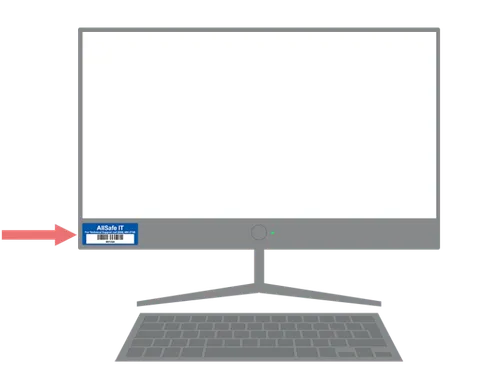
Bottom left corner of the monitor front, just below the screen.
Wipe the surface so the adhesive bonds cleanly. Skip any cloth that leaves residue.
Don't cover ventilation grills or labels you may need later. Use the recommended placement zones above.
One clear photo showing the tag in place — we'll match it to your reporting submission.
Fill in the device details and attach the photo via the form. We'll log it against your inventory.
Tell us about the device and we'll log it against your inventory.
Call +1 (213) 784-1959 or email info@allsafeit.com.
AllSafe IT is trusted by industry leaders and recognized by award organizations across the IT services landscape.